

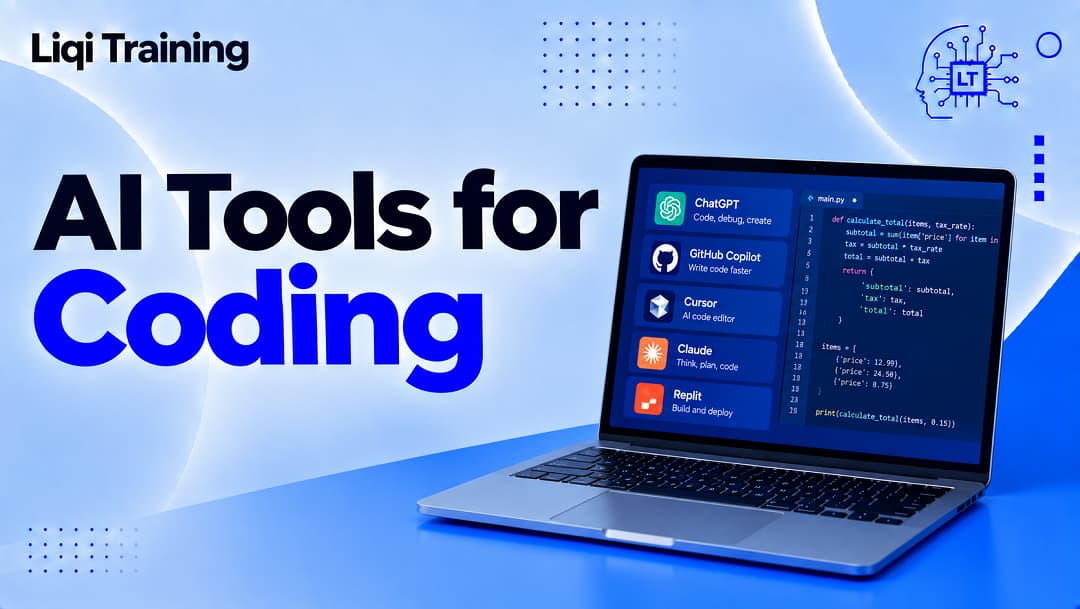
AI tools for coding can assist with code generation, debugging, refactoring, documentation, testing, code review, learning, and repository-level development. GitHub Copilot remains a major AI coding assistant, while newer AI-native coding environments and general-purpose AI assistants offer different approaches to development. AI coding tools are most useful when developers provide clear context and then inspect, test, and validate the resulting code.
AI-generated code can contain bugs, security vulnerabilities, incorrect assumptions, or code that does not fit the architecture of the project. Developers should evaluate tools according to their workflow: IDE, programming language, repository size, team requirements, privacy expectations, and budget. AI can reduce repetitive coding work without eliminating the need for software engineering judgment.
Artificial intelligence has moved from being something developers experimented with on the side to becoming part of everyday software development. AI coding assistants can autocomplete functions, explain unfamiliar code, suggest fixes, generate tests, summarize files, help with documentation, and increasingly work across multiple files in a project.
The important question is no longer simply whether AI can write code. The more useful question is where AI tools for coding actually improve a developer’s workflow, and where human review remains essential.
That distinction matters because generated code can look convincing without being correct. GitHub’s own documentation warns that Copilot suggestions can be inaccurate, incomplete, or insecure and recommends that developers review and test generated code before using it.
The current generation of coding tools also goes beyond autocomplete. Some can operate as coding agents, inspect repositories, propose changes, review pull requests, or execute multi-step development tasks. GitHub, for example, now documents agentic Copilot capabilities alongside its traditional inline suggestions and chat features.
For developers, that creates both an opportunity and a new responsibility: choosing AI assistance based on the task rather than assuming one tool is automatically the best for everything.
What are AI tools for coding?
AI coding tools are software applications that use artificial intelligence models to assist with programming tasks.
The simplest example is code completion. As you type, the tool predicts what code might logically come next. More advanced systems can interpret a natural-language request and generate an entire function, modify existing code, explain an error, or work across several files.
Some tools operate inside traditional development environments. Others provide standalone AI-first editors or command-line interfaces.
The distinction is becoming less clear as coding assistants evolve. GitHub’s current Copilot documentation, for example, covers inline suggestions, chat, code review, cloud agents, and command-line capabilities as separate experiences within the same broader ecosystem.
This means “AI coding tool” now describes several different categories rather than one type of application.
Why developers are using AI for coding
The adoption numbers show that AI assistance has become significant in software development.
Stack Overflow’s 2025 Developer Survey collected more than 49,000 responses from developers across 177 countries. It found that 84% of respondents were using or planning to use AI tools in their development process, compared with 76% the previous year. Among professional developers, 51% reported using AI tools daily.
However, the same survey reveals an important qualification: 46% of respondents said they distrust the accuracy of AI tool output, compared with 33% who trusted it. The survey therefore describes a development environment in which AI adoption is high while confidence in its output remains considerably lower.
That combination explains how developers are actually using these systems. AI is increasingly part of the workflow, but experienced programmers still need to verify what it produces.
Read also: What Is AI? A Complete Beginner’s Guide to Artificial Intelligence
The major types of AI coding tools
Rather than comparing every product feature by feature, it is more useful to understand the major categories.
AI code completion tools
These are the modern successors to traditional autocomplete.
Instead of completing a variable name or a short expression, an AI assistant can generate several lines or an entire function based on surrounding code and the developer’s instructions.
GitHub Copilot’s inline suggestions work this way. GitHub describes them as AI-generated suggestions that can complete existing code or propose edits while considering surrounding code and relevant context.
This is particularly useful for repetitive programming patterns.
A developer creating several similar API handlers, database operations, configuration files, or test cases may be able to describe the pattern once and use AI to accelerate the repetitive portion.
The developer still needs to determine whether the generated implementation is appropriate.
AI coding chat
A second category works more like a conversation.
Instead of waiting for autocomplete, the developer can ask:
Explain why this function is returning a null value.
Or:
Refactor this function without changing its public API.
Or:
Write unit tests for these edge cases.
This style is useful when the problem requires explanation rather than simple completion.
It can also be helpful when working with an unfamiliar programming language or framework because the developer can ask follow-up questions about the generated code.
Our existing Gemini AI vs Claude AI comparison can also serve as a contextual internal link here for readers who want to explore how major general-purpose AI assistants differ in coding and reasoning workflows.
AI-powered code editors
AI-native editors combine traditional development features with deeper AI assistance.
Rather than adding an AI chatbot to an existing editor, these environments are designed around interacting with a codebase through natural-language instructions.
Cursor is one example of this category. Its documentation explains that AI features can send prompts and code context to model providers, while its Privacy Mode is designed so that code is not used for training by Cursor or its model providers.
The privacy configuration is particularly relevant for professional developers because the code being processed may belong to a company or client.
An AI editor should therefore be evaluated not only for coding performance but also for its data-handling model.
GitHub Copilot
GitHub Copilot is one of the most established names in AI-assisted software development.
Its capabilities now extend well beyond the original autocomplete experience. GitHub documents inline suggestions, chat, code review, cloud agents, and command-line workflows among its Copilot experiences.
For developers who already work extensively with GitHub repositories, this ecosystem integration can be significant.
Copilot can assist with tasks such as generating code, explaining existing code, reviewing pull requests, and suggesting changes.
GitHub also provides AI-powered security features. Copilot Autofix can generate proposed fixes for certain CodeQL code-scanning alerts, while developers retain responsibility for reviewing and accepting those changes.
The important point is that a generated security fix is still a proposed fix. It should not be treated as proof that a vulnerability has been completely resolved.
Cursor
Cursor takes a different approach by building AI deeply into a code editor.
This can be useful for developers who want to work conversationally with a repository rather than switching constantly between an editor and a separate chatbot.
The tool’s privacy documentation states that its AI features send prompts and code context to model providers such as OpenAI, Anthropic, and Google. Cursor also says that Privacy Mode prevents the code from being used for training.
That makes privacy configuration an important part of evaluating the product.
For proprietary projects, developers should understand exactly what information leaves their development environment and which settings apply to their account or organization.
Claude and other general-purpose AI assistants
General-purpose AI assistants can also be valuable coding tools even when coding is not their only purpose.
They can explain programming concepts, review functions, identify possible bugs, create examples, write documentation, and help developers reason through architecture.
This makes them particularly useful during learning and problem-solving.
However, a general chatbot and an IDE-integrated coding assistant have different strengths. An AI assistant may be excellent at discussing a piece of code that you provide, while an integrated coding environment can have much richer access to the repository and development context.
The choice therefore depends partly on how much project context the developer wants the AI to access.
AI tools for debugging
Debugging is one of the most practical uses of AI in software development.
Instead of asking an AI tool to generate a complete application, you can provide the error message, relevant code, expected behavior, and actual behavior.
A useful prompt might look like this:
This Python function should return a list of unique customer IDs, but duplicates are appearing. Explain the likely cause, identify the relevant section, and suggest two possible fixes. Do not rewrite the entire function.
That prompt gives the AI a defined problem and limits unnecessary changes.
The developer can then test the proposed fixes.
This workflow is preferable to accepting a large rewritten code block because it makes the reasoning easier to inspect.
AI tools for writing tests
Testing is another area where AI assistance can save repetitive effort.
A developer can provide an existing function and ask an AI coding tool to identify normal cases, boundary conditions, and likely failure scenarios.
For example, an AI assistant could generate tests for:
- valid input;
- missing input;
- unusually large input;
- invalid values;
- duplicate records;
- network failures;
- permission errors.
The developer still needs to determine whether those tests actually represent the requirements.
Generating tests is not the same as proving that the tests are sufficient.
Stack Overflow’s 2025 survey found that developers were particularly interested in using AI for documentation and testing in the future, while more consequential areas such as deployment and monitoring showed considerably more resistance to AI adoption.
That distinction makes sense: generating a test case is relatively reversible, whereas allowing an automated system to make production infrastructure changes can have much larger consequences.
AI for refactoring existing code
AI can also help developers understand and improve older code.
Legacy code is often difficult to modify because the original author may no longer be available, documentation may be incomplete, and the architecture may have evolved over several years.
An AI assistant can explain what a function appears to do, identify duplicated patterns, suggest a refactoring strategy, or convert code into a different style.
However, refactoring should be incremental.
A safer workflow is to make one defined change, run the tests, inspect the diff, and then proceed to the next change.
This reduces the risk of accepting a large AI-generated rewrite without understanding its consequences.
AI for documentation
Documentation is one of the less glamorous parts of programming, but it is essential for maintaining software.
AI can help explain functions, generate draft README sections, create API documentation, summarize pull requests, and convert technical notes into clearer language.
This is particularly helpful when the code already contains enough context to produce a useful explanation.
The developer should still check the documentation against the actual behavior of the software.
Documentation that confidently describes behavior the application does not actually implement is worse than incomplete documentation because it creates a false understanding of the system.
AI for learning programming
AI tools for coding are not only for professional developers.
Students and beginners can use them to understand programming concepts, debug exercises, compare approaches, and practice writing code.
This connects naturally with our guide on AI tools for students, which explores responsible AI-assisted learning.
For a beginner, however, there is an important difference between asking:
Give me the answer to this programming exercise.
and:
Give me a hint about why my loop is not producing the expected output.
The second approach encourages learning.
AI can explain a concept repeatedly and adapt its explanation to the learner, but the student still needs to write and reason about code independently.
AI coding agents are changing the workflow
The newest generation of coding tools is moving beyond suggestions and chat toward agents.
An agent can receive a development task, inspect relevant files, make changes, run commands or tests, and return a result for review.
GitHub’s current documentation describes Copilot cloud agents as capable of creating branches, writing code, and opening pull requests in response to assigned issues. It also describes Copilot CLI as capable of creating and modifying files and executing commands with explicit permission prompts.
This changes the risk profile.
An autocomplete suggestion normally requires the developer to accept it. An agent may be capable of performing a sequence of actions.
That is why permissions, sandboxing, version control, testing, and human review become increasingly important as AI systems gain more autonomy.
Stack Overflow’s 2025 survey found that AI agents were not yet mainstream among its respondents: 52% either did not use agents or used simpler AI tools, while 38% said they had no plans to adopt agents.
The technology is developing quickly, but adoption and confidence should not be assumed to be universal.
The security problem with AI-generated code
AI-generated code introduces a problem that developers cannot solve simply by running the application once.
A program can work correctly on the developer’s example while still containing a security vulnerability.
GitHub explicitly warns that Copilot-generated code may contain security issues and recommends secure coding practices, testing, and code review.
Potential concerns include:
- insecure authentication logic;
- improper input validation;
- exposed credentials;
- unsafe database queries;
- incorrect access controls;
- dependency problems;
- accidental exposure of sensitive information.
This is why AI-generated code should pass through the same engineering controls as human-written code.
Version control, automated testing, static analysis, dependency scanning, code review, and security testing remain important.
Privacy matters when using AI coding tools
Code is often confidential.
A developer may be working on a commercial application, a client’s website, an internal business system, or unreleased software. Sending repository content to an AI provider therefore creates a data-handling question.
Different products and configurations have different policies.
For example, Cursor states that its Privacy Mode prevents code from being used for training, while also explaining that prompts and code context may be sent to model providers when AI features are used.
Developers should read the current privacy and enterprise documentation for the specific product rather than assuming that every AI coding tool handles source code in the same way.
Read also: Best AI Data Analysis Tools for Beginners: What I’d Use First and Why
How to choose the best AI coding tool
There is no universal winner because coding environments differ.
A solo developer building small web applications may value a fast AI editor and conversational debugging. An enterprise engineering team may care more about access controls, repository integration, privacy, auditability, security tooling, and administrative controls.
Before choosing a tool, consider five practical questions.
Does it fit your development environment?
Check whether it works with your preferred editor, IDE, operating system, programming languages, repositories, and development workflow.
A technically capable AI tool is less useful if using it requires constantly moving code between applications.
How much context can it understand?
Simple autocomplete requires relatively little context.
Repository-level development requires much more.
If you want an AI system to understand multiple files, project conventions, dependencies, and architectural decisions, investigate how the product gathers and uses repository context.
Can you control what it can do?
This becomes increasingly important with agentic systems.
A tool that can only suggest code has a different risk profile from one that can modify files, execute commands, or open pull requests.
GitHub’s documentation specifically notes additional risks around agentic tools and command execution, including the possibility of destructive commands.
Does it fit your privacy requirements?
For personal projects, your requirements may differ from those of an employer or client.
Professional teams should examine data retention, training policies, privacy modes, enterprise controls, provider relationships, and applicable contractual terms.
Does it improve the actual workflow?
This is the test that matters most.
If an AI tool generates code faster but creates so much debugging and review work that the overall process becomes slower, the apparent productivity gain may be misleading.
Measure the complete workflow rather than the speed of generation alone.
AI coding tools should complement software engineering
The biggest mistake is treating AI coding as synonymous with automated programming.
Writing code is only one part of software engineering.
Developers also need to understand requirements, architecture, data models, security, testing, deployment, performance, maintainability, and the people who will use the software.
AI can help with several of those activities, but it does not remove the need to understand them.
The 2025 Stack Overflow survey provides a useful illustration. Although AI use is widespread, 46% of respondents said they distrust AI output accuracy, and developers showed substantial resistance to handing high-responsibility tasks such as deployment and monitoring over to AI.
The practical message is straightforward: more AI assistance does not automatically mean less engineering responsibility.
How to use AI coding tools effectively
A good AI-assisted workflow starts with clear instructions.
Instead of:
Fix my code.
Give the system enough information to understand the task:
This Node.js API endpoint should return a 400 response when the email field is missing. It currently returns 500. Analyze the existing logic, identify the cause, and propose the smallest change needed. Do not modify unrelated files.
The second instruction defines the expected behavior and limits the scope of the change.
After receiving the output, inspect the diff, run tests, and verify the behavior.
This cycle is more reliable than blindly accepting generated code:
Define the problem → provide context → generate or modify code → inspect the result → run tests → review security → commit the change.
That workflow keeps the developer in control while still gaining the speed advantages of AI assistance.
Where AI coding tools can fall short
AI systems can struggle with unfamiliar libraries, unusual codebases, incomplete requirements, complex architecture, and problems where the correct answer depends on information that was never included in the prompt or available to the model.
They can also produce code that looks sophisticated but is unnecessarily complicated.
A developer may therefore spend less time typing while spending more time understanding and correcting generated output.
That is not necessarily a reason to avoid AI. It is a reason to use it selectively.
AI is generally more useful when the task has a clear objective and the developer can easily test the result.
It becomes more difficult when correctness depends on subtle business rules, security requirements, architectural constraints, or undocumented assumptions.
Conclusion
The best AI tools for coding are not simply the ones capable of generating the largest amount of code.
The more useful tools are those that fit naturally into a developer’s workflow and provide assistance where it actually reduces friction.
GitHub Copilot offers a broad development ecosystem spanning suggestions, chat, code review, agents, and command-line workflows. AI-native editors such as Cursor emphasize deeper interaction with a codebase. General-purpose AI assistants can be valuable for explanations, debugging, research, and architectural discussion, while specialized security and testing features address different parts of the development lifecycle.
The right choice ultimately depends on what you build, how you work, what languages and tools you use, and how much autonomy you are comfortable giving an AI system.
Most importantly, AI-generated code should be treated as proposed software, not automatically trustworthy software.
Review it. Test it. Secure it. Understand it.
That approach allows developers to benefit from AI without handing over the engineering judgment that makes software reliable in the first place.
ADVERTISEMENT