

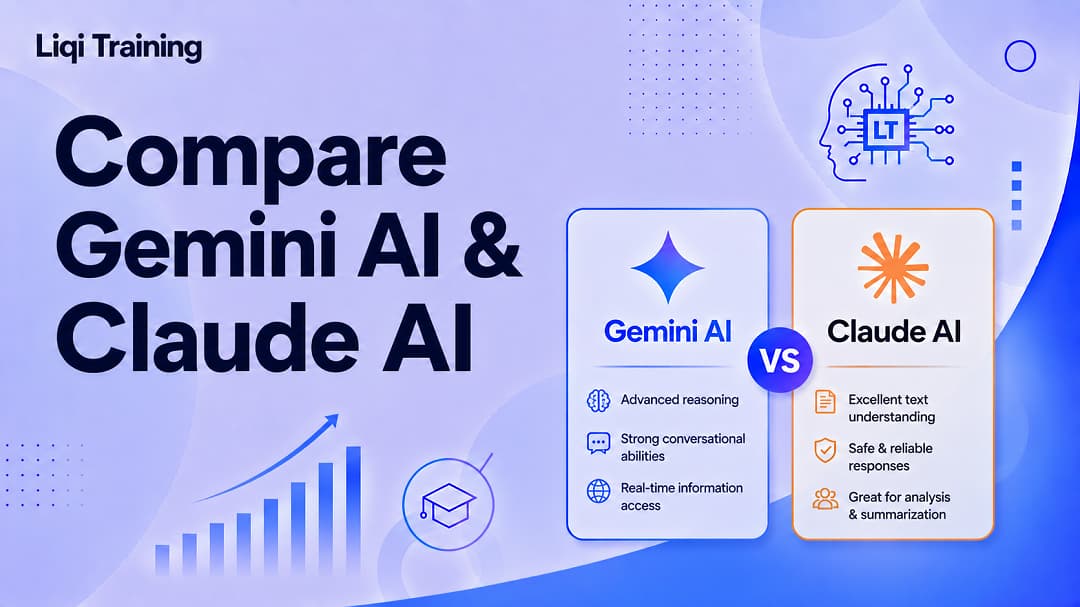
Gemini AI integrates deeply with Google Workspace, making it an excellent choice for users already working in Gmail, Docs, Sheets, Drive, and other Google services. Claude AI is widely recognized for producing natural-sounding writing, following complex instructions, and excelling at long-form reasoning and code explanation. Both platforms offer free plans and paid subscriptions, but their premium features and ecosystem benefits differ. Neither AI assistant is objectively superior in every category; each has strengths depending on the task. Businesses increasingly adopt multiple AI models rather than relying on a single provider, allowing teams to choose the best tool for each workflow.
Artificial intelligence assistants have evolved from simple chatbots into powerful productivity platforms capable of writing reports, generating code, analyzing spreadsheets, summarizing research papers, creating presentations, and assisting with complex decision-making. Among the leading AI assistants available today, Google Gemini and Anthropic Claude consistently rank among the strongest options for both individual users and businesses. While both leverage advanced large language models (LLMs), they were developed with different priorities, ecosystems, and design philosophies.
As a result, choosing between them is less about finding a universally “better” AI and more about selecting the assistant that aligns with your workflow.
This guide compares Gemini AI and Claude AI across the features that matter most, including writing quality, coding, reasoning, pricing, integrations, accuracy, privacy, and real-world usability, so you can determine which platform best meets your needs.
Start Here: Which AI Assistant Fits You Best?
Before comparing technical specifications, consider your primary goal. The recommendations below can help you narrow your choice quickly.
Choose Gemini AI If You…
Gemini may be the better option if you:
- Work extensively with Google Workspace.
- Use Gmail, Google Docs, Sheets, Slides, or Drive every day.
- Need strong multimodal capabilities for images, documents, and videos.
- Frequently perform web research using Google’s ecosystem.
- Want an AI assistant integrated into Android devices and Google services.
Google’s ecosystem integration is one of Gemini’s strongest advantages because it reduces the need to switch between multiple applications.
Choose Claude AI If You…
Claude is often a stronger choice if you:
- Write long-form articles or reports.
- Need detailed explanations of technical topics.
- Spend significant time programming or debugging code.
- Value careful instruction-following and nuanced responses.
- Prefer an AI that acknowledges uncertainty instead of overconfidently guessing.
Anthropic designed Claude around principles emphasizing helpfulness, honesty, and safety, which many reviewers credit for its reliable handling of complex writing and reasoning tasks.
Gemini AI vs Claude AI at a Glance
| Category | Gemini AI | Claude AI |
|---|---|---|
| Developer | Anthropic | |
| Best for | Google ecosystem, research, multimodal work | Writing, reasoning, coding |
| Free plan | Yes | Yes |
| Paid plan | Yes | Yes |
| Workspace integration | Native Google integration | Limited compared to Gemini |
| Long-document analysis | Excellent | Excellent |
| Coding | Very strong | Excellent |
| Writing quality | Strong | Excellent |
| Multimodal support | Extensive | Strong |
This overview highlights that both assistants are highly capable, but their strongest use cases differ.
Meet the Competitors
Understanding the companies behind these AI assistants provides useful context before comparing their capabilities.
What Is Gemini AI?
Gemini is Google’s flagship AI platform.
It succeeds earlier Google AI initiatives and combines conversational AI with Google’s broader ecosystem.
Gemini is available through:
- Web browsers
- Android devices
- Google Workspace
- Google Cloud
- API services
- Mobile applications
One of its defining strengths is its ability to work naturally with Google products such as Gmail, Docs, Sheets, Slides, Maps, and Drive.
What Is Claude AI?
Claude is Anthropic’s family of AI assistants.
Anthropic focuses heavily on:
- Safe AI development
- Long-context reasoning
- Reliable instruction following
- Enterprise AI
- Responsible deployment
Claude is frequently praised for producing natural, coherent writing while handling lengthy conversations and large documents effectively.
Read also: Best AI Data Analysis Tools for Beginners: What I’d Use First and Why
Why This Comparison is Important
Only a few years ago, comparing AI assistants was relatively straightforward because each platform specialized in different capabilities.
Today, however, the landscape has changed dramatically.
Both Gemini and Claude can:
- Write articles.
- Generate software code.
- Summarize PDFs.
- Analyze spreadsheets.
- Explain technical concepts.
- Assist with research.
- Interpret images.
- Support business workflows.
As their capabilities continue to converge, the deciding factors increasingly involve ecosystem integration, workflow preferences, privacy controls, pricing, and the quality of outputs for specific tasks rather than broad feature differences.
What Should You Compare Before Choosing an AI Assistant?
Selecting an AI assistant based solely on popularity can lead to disappointment. Instead, evaluate the factors that most directly affect your daily work.
Writing Quality
If you regularly create:
- Blog posts
- Marketing copy
- Reports
- Emails
- Documentation
then writing style and instruction-following should be major considerations.
Coding Performance
Developers should assess:
- Code generation
- Debugging
- Refactoring
- Documentation
- Framework support
- Error explanations
A model that explains why code works, not just how to write it, can significantly improve productivity.
Ecosystem Compatibility
Consider which tools you already use.
For example:
- Google Workspace users may benefit from Gemini’s native integrations.
- Teams using specialized development or enterprise workflows may prefer Claude’s strengths in document analysis and structured reasoning.
Privacy and Data Controls
Organizations increasingly evaluate AI platforms based not only on capabilities but also on how user data is handled.
Recent comparisons note that both Claude and Gemini provide privacy controls, though the experience and available options differ depending on account type and settings. Reviewing each platform’s data policies is especially important for business or sensitive workloads.
Feature-by-Feature Comparison
Rather than asking which AI assistant has more features, it’s more useful to examine how well each feature performs in real-world workflows. Gemini and Claude now overlap in many core capabilities, including document analysis, web search, coding assistance, and multimodal input. The differences are often found in execution quality, ecosystem integration, and workflow design rather than feature availability alone.
User Interface and Overall Experience
A good AI assistant should disappear into your workflow instead of slowing it down.
Both Gemini and Claude offer clean web interfaces, mobile apps, and paid subscriptions, but they emphasize different user experiences.
Gemini AI
Gemini’s interface feels familiar to anyone who regularly uses Google products.
Highlights include:
- Clean Material Design interface
- Native integration with Google apps
- Quick access to Gmail, Docs, Sheets, and Drive
- Fast switching between models
- Built-in Google Search grounding
Because everything is connected through a Google account, users already invested in Google’s ecosystem usually face a shorter learning curve.
Claude AI
Claude focuses less on ecosystem integration and more on deep work.
Its interface emphasizes:
- Long conversations
- Projects
- Document organization
- Structured workflows
- Extended reasoning
Anthropic has also expanded Claude beyond a traditional chatbot by adding features such as Projects, memory, research capabilities, app creation, and integrations with services like Google Drive and Slack.
Writing Quality
For many users, writing quality is the single most important comparison category.
Whether you’re producing blog posts, business reports, emails, or technical documentation, the usefulness of an AI assistant depends on how naturally it communicates.
Gemini’s Writing Style
Gemini generally produces writing that is:
- Clear
- Concise
- Well structured
- Informative
- Easy to scan
Its responses often work well for:
- Research summaries
- Business communication
- Educational explanations
- Technical documentation
Because Gemini is closely integrated with Google Search, it can also assist with current-information tasks when web-connected features are available.
Claude’s Writing Style
Claude is frequently praised for producing prose that feels more natural and conversational.
Its strengths include:
- Long-form articles
- Creative storytelling
- Professional reports
- Tone matching
- Complex editing
- Nuanced explanations
Independent reviewers consistently note that Claude often requires fewer manual edits before publication, particularly for long-form content.
Writing Verdict
If your work revolves around:
- Blogging
- Copywriting
- Books
- Documentation
- Editorial work
Claude generally has the edge.
If your writing is closely tied to Google Workspace or research-heavy productivity tasks, Gemini remains an excellent choice.
Research Capabilities
Modern AI assistants are increasingly expected to do more than answer questions, they must help users gather, organize, and synthesize information.
Gemini’s Research Strengths
Gemini benefits from Google’s broader ecosystem.
Advantages include:
- Native Google Search integration
- Strong support for factual lookups
- Fast retrieval of recent information
- Google Workspace connectivity
- Multimodal document analysis
These capabilities make Gemini particularly useful for professionals conducting web-based research.
Claude’s Research Strengths
Claude approaches research differently.
Instead of emphasizing search integration, it focuses on:
- Reading lengthy documents
- Comparing multiple sources
- Producing structured summaries
- Maintaining context across long conversations
Recent updates have also introduced deeper research workflows with cited outputs for supported plans.
Which Is Better for Research?
The answer depends on the source material.
Choose Gemini if your work depends on:
- Google Search
- Google Workspace
- Fast access to current web information
Choose Claude if your work involves:
- PDFs
- Research papers
- Policy documents
- Contracts
- Large reports
Context Window Comparison
The context window determines how much information an AI model can process within a single conversation.
Larger context windows reduce the need to repeatedly re-upload documents or restate earlier instructions.
Gemini
Gemini supports very large context windows on supported models and APIs, making it well suited for analyzing extensive codebases, books, research collections, and enterprise documents.
Claude
Claude also supports exceptionally large contexts and is widely recognized for maintaining coherence over long documents and extended conversations. Its Projects feature further enhances long-running work by organizing related files and discussions.
Practical Impact
Large context windows are especially valuable when working with:
- Books
- Legal contracts
- Financial reports
- Technical manuals
- Source code
- Academic papers
For everyday chats, however, most users are unlikely to notice a significant difference.
Multimodal Capabilities
Modern AI assistants increasingly work with more than just text.
They now support combinations of:
- Images
- Documents
- Audio
- Video
- Code
Gemini
Gemini’s multimodal capabilities are among its strongest differentiators.
Users can:
- Analyze images
- Interpret charts
- Review documents
- Work with videos (supported workflows)
- Interact across Google’s ecosystem
Google continues to position Gemini as a multimodal AI platform rather than only a text assistant.
Claude
Claude also supports multimodal inputs, particularly for images and documents.
Its strengths include:
- Reading scanned PDFs
- Understanding diagrams
- Explaining charts
- Document analysis
- Visual reasoning
While Claude performs well on multimodal tasks, reviewers generally regard Gemini as having the broader multimodal ecosystem because of its integration with Google’s AI services.
Productivity Integrations
AI assistants become far more useful when they connect with the tools people already use.
Gemini’s Ecosystem
Gemini integrates deeply with:
- Gmail
- Google Docs
- Google Sheets
- Google Slides
- Google Drive
- Google Meet
- Google Calendar
For Google Workspace users, this integration can significantly reduce context switching throughout the workday.
Claude’s Ecosystem
Claude has expanded its productivity features through:
- Projects
- Google Drive integration
- Slack integration
- Calendar connectivity
- Long-term memory
- Research workspaces
Rather than competing directly with Google Workspace, Claude focuses on organizing complex projects and supporting sustained knowledge work.
File and Document Analysis
Both assistants allow users to upload files, but their strengths differ.
Gemini excels at:
- Spreadsheet analysis
- Workspace documents
- Google file formats
- Multimodal documents
Claude excels at:
- Long PDFs
- Contracts
- Research papers
- Policy documents
- Technical manuals
- Large writing projects
This distinction reflects each platform’s broader design philosophy: Gemini prioritizes ecosystem integration, while Claude emphasizes deep analysis and structured reasoning.
If you’re new to AI assistants, these related guides provide additional context:
- What Is AI? A Complete Beginner’s Guide to Artificial Intelligence, How It Works, and Real-World Applications
- AI Detector vs AI Checker: Which Tool Is More Accurate for Detecting AI-Generated Content?
Coding Performance Compared
For many professionals, coding ability is one of the most important factors when choosing an AI assistant. Developers now rely on AI to generate functions, explain unfamiliar code, debug errors, write tests, refactor projects, and even automate software engineering workflows.
Both Gemini AI and Claude AI perform well in these areas, but they emphasize different strengths.
Recent independent evaluations suggest that Claude generally delivers stronger performance on complex coding and software engineering tasks, while Gemini offers an attractive combination of speed, generous usage, and lower operating costs, making it appealing for many day-to-day development workflows.
Gemini AI for Programming
Gemini supports a wide range of programming languages and integrates naturally with Google’s developer ecosystem.
Common use cases include:
- Python
- JavaScript
- TypeScript
- Java
- Go
- C++
- SQL
- HTML and CSS
Gemini performs particularly well when developers need to:
- Generate boilerplate code
- Explain APIs
- Build small applications
- Analyze spreadsheets and structured data
- Connect coding tasks with Google Cloud services
Its fast response times also make it useful for iterative development.
Claude AI for Programming
Claude has earned a strong reputation among software developers for handling larger, more complex programming tasks.
Its strengths include:
- Refactoring large codebases
- Debugging difficult problems
- Explaining architectural decisions
- Producing readable documentation
- Following detailed technical instructions
- Maintaining consistency across long coding sessions
Recent benchmarking and hands-on testing indicate that Claude Opus remains a leading option for demanding software engineering workflows, particularly where reasoning quality is more important than raw speed.
Code Explanation
Generating code is only part of the development process.
Understanding why code works is equally important.
Gemini
Gemini generally provides:
- Clear explanations
- Concise summaries
- Beginner-friendly guidance
- Practical implementation examples
Claude
Claude often goes further by explaining:
- Design choices
- Trade-offs
- Alternative implementations
- Performance implications
- Maintainability considerations
This makes Claude particularly valuable for learning software engineering concepts.
Reasoning and Problem-Solving
Beyond coding, AI assistants increasingly help users solve complex analytical problems.
Examples include:
- Business strategy
- Financial analysis
- Academic research
- Project planning
- Technical documentation
Gemini’s Reasoning Style
Gemini generally emphasizes:
- Fast responses
- Practical recommendations
- Structured summaries
- Integration with current information
Its responses are often optimized for productivity.
Claude’s Reasoning Style
Claude typically produces:
- Longer analytical responses
- Careful step-by-step reasoning
- Explicit assumptions
- Nuanced discussion of uncertainty
Many reviewers prefer Claude when tasks involve complicated instructions or lengthy documents because it tends to maintain context effectively throughout extended conversations.
Accuracy and Hallucinations
No modern AI assistant is perfectly accurate.
Both Gemini and Claude can occasionally generate incorrect information, misinterpret prompts, or fabricate details, a phenomenon commonly referred to as hallucination.
The practical goal is therefore to minimize these errors rather than eliminate them entirely.
Gemini
Gemini benefits from Google’s extensive information ecosystem and web-connected capabilities in supported experiences.
This can improve responses involving:
- Current events
- Recent technologies
- Public information
- General research
However, users should still verify important factual claims independently.
Claude
Claude is widely recognized for acknowledging uncertainty more explicitly.
Instead of confidently inventing answers, it is often more likely to:
- State when information is uncertain
- Explain limitations
- Recommend verification
This behavior can reduce the risk of confidently presented inaccuracies, although verification remains essential.
Accuracy Verdict
For high-stakes work such as:
- Legal documents
- Medical information
- Financial decisions
- Scientific research
Neither assistant should replace authoritative human expertise or primary sources.
Both are best viewed as productivity tools rather than definitive authorities.
Speed Comparison
Performance is not determined solely by answer quality.
Response speed also affects everyday productivity.
Gemini
Generally excels in:
- Fast responses
- Quick searches
- Interactive brainstorming
- Workspace tasks
Claude
Generally prioritizes:
- Deeper reasoning
- More detailed explanations
- Careful instruction following
This can sometimes result in slightly longer response times, particularly for complex prompts.
Pricing Comparison
Price is another major consideration for individual users and businesses.
Both services offer free and paid subscription options, but premium plans differ in included features and usage limits.
Gemini Pricing
Google offers:
- Free plan
- Google AI Pro
- Higher-tier enterprise and premium options
Paid subscriptions typically include:
- Higher usage limits
- Access to more advanced models
- Expanded Workspace integration
- Additional AI productivity features
Claude Pricing
Claude currently provides:
- Free plan
- Pro plan
- Max plans
- Team and Enterprise offerings
The standard Claude Pro subscription costs approximately US$20 per month (or less with annual billing), while higher tiers provide significantly larger usage allowances and additional enterprise capabilities.
Value for Money
Choosing the better value depends largely on how you use AI.
Gemini may provide greater value if you:
- Already subscribe to Google services.
- Use Workspace daily.
- Need frequent multimodal assistance.
- Prefer generous usage limits.
Claude may provide greater value if you:
- Write professionally.
- Program extensively.
- Analyze lengthy documents.
- Require deeper reasoning.
Security and Privacy
Businesses increasingly evaluate AI assistants based on security as well as capability.
Both Google and Anthropic provide enterprise-focused security features, but implementation differs.
Common enterprise capabilities include:
- Administrative controls
- Workspace management
- Identity management
- Compliance features
- Data governance options
Organizations handling confidential information should review the latest documentation for their chosen subscription before deployment.
Which AI Offers Better Overall Value?
Rather than asking which assistant is objectively “best,” consider which delivers the greatest value for your workflow.
Gemini may be the stronger choice if you:
- Live inside Google Workspace.
- Need multimodal capabilities.
- Perform frequent web-based research.
- Value ecosystem integration.
Claude may be the stronger choice if you:
- Produce long-form writing.
- Build software professionally.
- Analyze complex documents.
- Prefer detailed reasoning.
This distinction reflects a broader trend in enterprise AI adoption: many organizations now use multiple AI assistants, selecting the most suitable model for each task instead of standardizing on a single platform.
Final Recommendations by User Type
After comparing features, coding performance, writing quality, pricing, and productivity tools, one conclusion stands out:
There is no universal winner.
Instead, Gemini AI and Claude AI excel in different situations. Choosing the right assistant depends on your daily workflow rather than a single benchmark score.
Best for Students
Students typically need an AI assistant that can:
- Explain difficult concepts
- Summarize textbooks
- Help with research
- Organize notes
- Create study guides
- Solve practice problems
Gemini AI
Gemini is an excellent option for students who already rely on:
- Google Docs
- Google Drive
- Gmail
- Google Classroom
- Google Workspace
Its integration with Google’s ecosystem makes managing assignments and research particularly convenient.
Claude AI
Claude is ideal for students writing:
- Essays
- Research papers
- Literature reviews
- Long reports
- Dissertation drafts
Its strength in following detailed instructions and maintaining consistency across lengthy documents makes it especially useful for academic writing.
Recommendation
- Choose Gemini for productivity and Google Workspace.
- Choose Claude for writing-intensive coursework and complex explanations.
Best for Writers and Content Creators
Professional writers need more than grammar correction.
They need an assistant capable of maintaining:
- Tone
- Voice
- Structure
- Consistency
- Readability
Gemini for Writing
Gemini performs well when producing:
- Marketing copy
- Product descriptions
- Business emails
- Research summaries
- SEO outlines
Its responses are generally concise and easy to scan.
Claude for Writing
Claude consistently receives praise for:
- Long-form articles
- Natural language flow
- Editing
- Rewriting
- Maintaining brand voice
- Following complex editorial instructions
Many reviewers continue to rank Claude among the strongest AI assistants for professional writing because of its nuanced style and detailed revisions.
Recommendation
For bloggers, journalists, technical writers, and editors:
Claude AI is generally the stronger choice.
Best for Developers
Programming has become one of the biggest use cases for AI assistants.
Both Gemini and Claude support dozens of programming languages, but they emphasize different strengths.
Choose Gemini If You…
Your work focuses on:
- Google Cloud
- Rapid prototyping
- API exploration
- Lightweight applications
- Fast debugging
Gemini’s speed and Google ecosystem integration make it particularly attractive for many everyday development tasks.
Choose Claude If You…
You regularly work with:
- Large codebases
- Enterprise software
- Architecture reviews
- Refactoring
- Complex debugging
- Documentation
Independent comparisons frequently place Claude ahead on sophisticated software engineering and multi-step reasoning tasks, while Gemini remains highly competitive for practical implementation and rapid development.
Recommendation
Professional software engineers will often benefit more from Claude, while many full-stack developers and Google Cloud users may find Gemini better integrated into their existing workflow.
Best for Businesses
Businesses evaluate AI platforms differently than individual users.
Important considerations include:
- Security
- Administrative controls
- Collaboration
- Integrations
- Scalability
- Compliance
Gemini for Organizations
Gemini offers significant advantages for organizations already invested in Google Workspace.
Common business use cases include:
- Email drafting
- Meeting summaries
- Spreadsheet analysis
- Presentation creation
- Team collaboration
Claude for Organizations
Claude is increasingly adopted by organizations requiring:
- Long document analysis
- Policy review
- Contract evaluation
- Research synthesis
- Knowledge management
Anthropic also provides Team and Enterprise plans with administrative controls, collaboration features, and privacy options designed for business environments.
Frequently Asked Questions
Is Gemini AI better than Claude AI?
Neither assistant is universally better.
Gemini generally excels in Google ecosystem integration and multimodal productivity, while Claude is often preferred for long-form writing, reasoning, and complex coding tasks.
Which AI is better for coding?
Both are highly capable.
However, many independent evaluations and developer reviews indicate that Claude has an advantage for large software projects and advanced reasoning, whereas Gemini performs well for rapid development and Google-centric workflows.
Which AI writes better?
Claude is generally regarded as producing more natural long-form prose with strong instruction-following.
Gemini also produces high-quality writing, particularly for structured business communication and research summaries.
Which AI costs less?
Both services provide free access and premium subscriptions.
Claude Pro is currently priced at approximately US$20 per month when billed monthly, with discounts for annual billing and additional Max, Team, and Enterprise plans. Gemini also offers free and paid tiers, though pricing and included features vary by plan and region.
Should You Use More Than One AI Assistant?
For many professionals, the answer is yes.
Many organizations and experienced users choose different assistants for different tasks.
For example:
- Gemini for Google Workspace
- Claude for writing and coding
This approach allows users to take advantage of each platform’s strengths instead of relying on a single model.
Conclusion
Choosing between Gemini AI and Claude AI is less about identifying a single “best” assistant and more about matching the platform to your work.
If your day revolves around Google’s ecosystem, frequent web research, spreadsheets, presentations, and multimodal productivity, Gemini AI is likely the better fit.
If your priority is producing polished long-form writing, tackling complex reasoning problems, reviewing extensive documents, or working on demanding software projects, Claude AI is likely the stronger option.
As AI assistants continue to evolve, their capabilities increasingly overlap. Rather than replacing one another, they are becoming specialized tools that excel in different scenarios. For many professionals, using both strategically can provide greater flexibility and productivity than relying exclusively on either platform.
ADVERTISEMENT