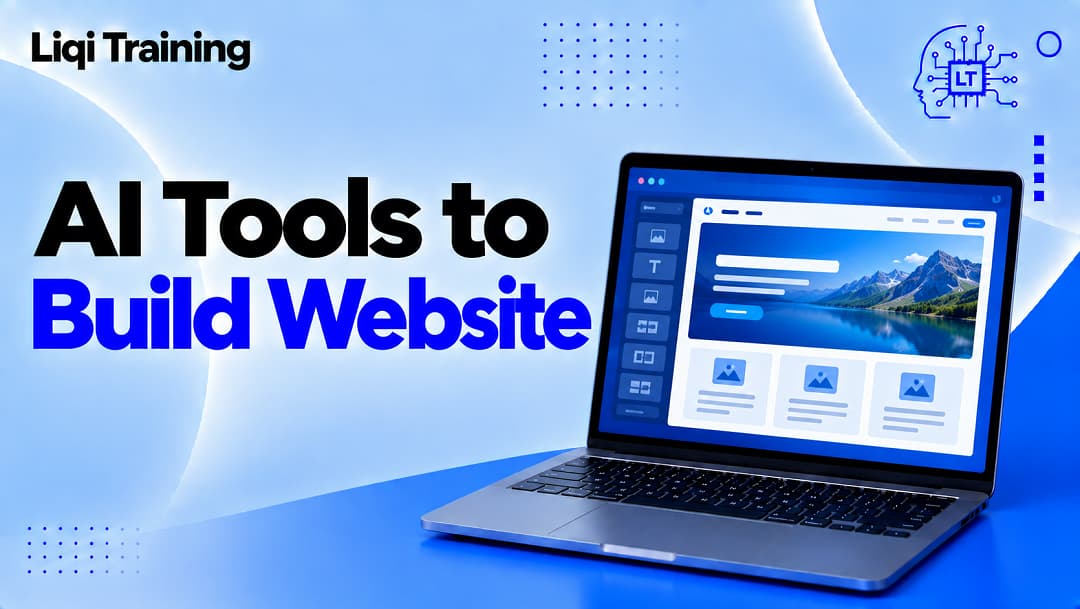
Building a website used to require either a developer on retainer or weeks spent learning how templates, hosting, and layout tools fit together. That barrier has largely collapsed. The current generation of AI tools to build a website can generate a working layout from a short description, write and format the copy, and publish a live site in under an hour, without requiring the person building it to know a line of code.
What’s changed isn’t just speed. Earlier website builders offered templates you filled in manually. AI tools to build a website now generate a starting layout based on what the site is actually for, adjust that layout through plain-language instructions, and in some cases produce a fully functional web application rather than a static page. That range matters, because “building a website” can mean a five-page portfolio or a working product with a database behind it, and not every AI builder is built for both.
This guide compares five AI website builders worth using, chosen to represent different starting points: a beginner-friendly all-in-one option, a budget-focused builder, a design-first platform, a professional-grade system for teams, and a developer-oriented tool for anyone who needs the finished site to actually function as an application. Matching the tool to the project is more useful than picking whichever one ranks first on a general list.
Important Notes:
- Wix is the strongest all-around choice for beginners who want a conversational AI builder that also generates copy, images, and a working layout in one pass.
- Hostinger is the most cost-effective entry point for anyone building a straightforward business or personal site without a large budget.
- Framer is built for design-conscious users who want a polished, agency-quality look without hiring a designer.
- Webflow’s AI Site Builder generates a complete, reusable design system rather than a single page, which matters for teams maintaining a site long-term.
- Lovable and similar developer-oriented tools go beyond page layout, producing functional web applications with backend logic, which is a different category from a template-based site builder.
What Makes a Website Builder an “AI” Tool
Not every builder that mentions AI works the same way, so it helps to know what to expect before comparing specific platforms. Some AI website builders use a conversational setup: you answer a few questions about the site’s purpose, and the tool generates a layout, images, and starter copy based on those answers. Others use a prompt-based approach closer to how AI image or writing tools work, where you describe the site in a sentence and the AI generates a working draft from that description alone. A smaller group goes further and generates an actual application, complete with a database and backend logic, rather than a page built from a template.
These are meaningfully different tools solving different problems. A conversational builder is usually the fastest way to get a small business or portfolio site online. A prompt-based, developer-oriented tool is a better fit for anyone whose “website” needs to store user data, process payments, or function as software rather than a digital brochure. The five tools below are grouped with that distinction in mind.
1. Wix
Wix remains the most complete AI website builder for general use, largely because it offers more than one way to build. Its conversational AI builder asks about the site’s purpose, then generates a layout, images, and copy suited to that answer, which suits anyone starting from scratch without a clear design direction. Alongside that, Wix Harmony, its newer hybrid AI editor, gives users a more hands-on, prompt-driven building option for those who want tighter control over the result without touching code.
Beyond the initial build, Wix’s AI tools extend into ongoing site management, including AI-generated product recommendations for e-commerce sites and built-in support through its AI agent. That breadth is Wix’s main advantage: it isn’t just generating a first draft and leaving the rest to the user. For anyone who wants one platform to handle design, copy, basic e-commerce, and post-launch tweaks, Wix covers the widest range of needs on this list, though that breadth comes with a steeper price than some of the more focused alternatives below.
2. Hostinger
Hostinger’s AI website builder is aimed squarely at budget-conscious users who still want a genuinely AI-assisted setup rather than a bare-bones template editor. The onboarding process generates a layout and starter content based on a short description of the business or project, and the builder includes AI copywriting to help fill in page text without starting from a blank field.
What separates Hostinger from higher-priced competitors isn’t feature depth, since Wix and Framer both offer more advanced tools, but value for straightforward use cases. A small business site, a personal portfolio, or a simple landing page doesn’t need Wix Harmony’s prompt-driven flexibility or Webflow’s design-system architecture, and Hostinger is built for exactly that middle ground: AI-assisted, fast to launch, and priced for someone building their first site rather than managing a large existing one.
3. Framer
Framer is built for a different priority than Wix or Hostinger: visual quality that doesn’t look like it came from a template. Its AI builder generates layouts with the kind of design polish typically associated with hiring a professional designer, which makes it a common choice for portfolios, agencies, and brands where the site’s look is closely tied to credibility.
The trade-off is that Framer assumes a bit more design sensibility from the person using it. It’s approachable without design experience, but getting the most out of it, refining spacing, adjusting typography choices, tuning animations, rewards a user who’s comfortable iterating on a visual direction rather than accepting the first generated layout outright. For anyone whose site is the first impression a client or employer will see, that extra attention to visual detail is usually worth the slightly steeper learning curve.
4. Webflow
Webflow’s AI Site Builder, still in beta as of 2026, targets a different scale than the tools above: teams that need a site to stay consistent and maintainable well beyond initial launch. Rather than generating a single page and calling it done, Webflow’s AI generates a complete design system, shared styles, components, and layout rules that apply consistently across every page added later. That structure matters for anyone who expects the site to grow past a handful of pages.
This makes Webflow the strongest option on this list for agencies, larger businesses, or any project where multiple people will be editing the site over time. A single-page portfolio doesn’t need that infrastructure, but a company site that will keep adding product pages, blog posts, or landing pages benefits from a system that enforces consistency automatically rather than relying on whoever’s editing that day to match the existing style by eye.
5. Lovable
Lovable represents the category of AI tools that build functional web applications rather than static or template-based websites. Instead of generating a page layout, Lovable’s AI generates working software: a functioning frontend connected to backend logic, database structures, and the kind of features a traditional website builder doesn’t attempt, such as user accounts, dynamic data, or custom workflows.
This makes Lovable a fundamentally different tool from the other four, and it’s worth being direct about that distinction rather than treating it as a fancier website builder. If the goal is a marketing site, a portfolio, or a small business page, Lovable is more capability than the project needs. If the goal is an actual product, an internal tool, a booking system, or anything that needs to store and process user data, Lovable and similar developer-oriented AI builders solve a problem that Wix, Hostinger, Framer, and Webflow aren’t built to handle.
Matching the Tool to the Project
The right choice among these five depends less on which tool ranks highest overall and more on what the finished site actually needs to do. A personal portfolio or a small business’s first website rarely needs backend logic or a maintained design system, which makes Wix or Hostinger the more practical starting point. A brand-focused site where visual polish carries real weight, an agency’s own site, a designer’s portfolio, a product launch page, benefits more from Framer’s design-first approach than from a general-purpose builder optimized for speed.
Larger organizations maintaining a site across multiple contributors and an expanding page count get more long-term value from Webflow’s structured design system than from a tool optimized purely for a fast first draft. And any project that’s really a piece of software wearing a website’s interface, one requiring accounts, stored data, or custom logic, needs a tool like Lovable rather than a page builder, since that requirement sits outside what template-based AI builders were designed to solve.
Where Website Building Fits Into a Broader AI Workflow
Building the site itself is usually only one part of a larger project. Before writing site copy or choosing a layout, many builders start with market or competitor research, a stage covered in more depth in our guide to the best AI tools for research. Anyone extending a generated site with custom functionality, particularly with developer-oriented tools like Lovable, will likely also want the best AI tools for coding for the parts that go beyond what the builder generates automatically.
Students building a portfolio site for applications or coursework can find additional tools for the research and writing side of the process in our roundup of AI tools for students. And since most of the builders above run on top of large language models for their conversational and prompt-based features, it’s worth understanding how those underlying models differ; our comparison of Gemini AI vs Claude AI breaks down accuracy, coding ability, and pricing across the two, which is useful context for anyone comparing the AI quality behind different builders. For a broader primer on how this category of software works in the first place, our guide on what AI is covers the fundamentals in plain terms.
Conclusion
The five tools compared here aren’t ranked against each other so much as suited to different starting points. Wix and Hostinger get a straightforward site online fastest, with Wix offering more breadth and Hostinger offering more value at a lower price. Framer earns its place through visual quality that matters most when a site’s design carries real weight. Webflow solves a structural problem that only shows up once a site grows past a few pages and multiple contributors. Lovable sits outside the website-builder category entirely, solving for functional software rather than a page layout.
Testing the free or trial tier of two of these against a real project, rather than reading feature comparisons alone, remains the fastest way to know which one fits. The difference between a builder that feels intuitive and one that feels like fighting the interface rarely shows up in a specifications table, and it’s usually the deciding factor once the initial excitement of a generated first draft wears off.
ADVERTISEMENT