

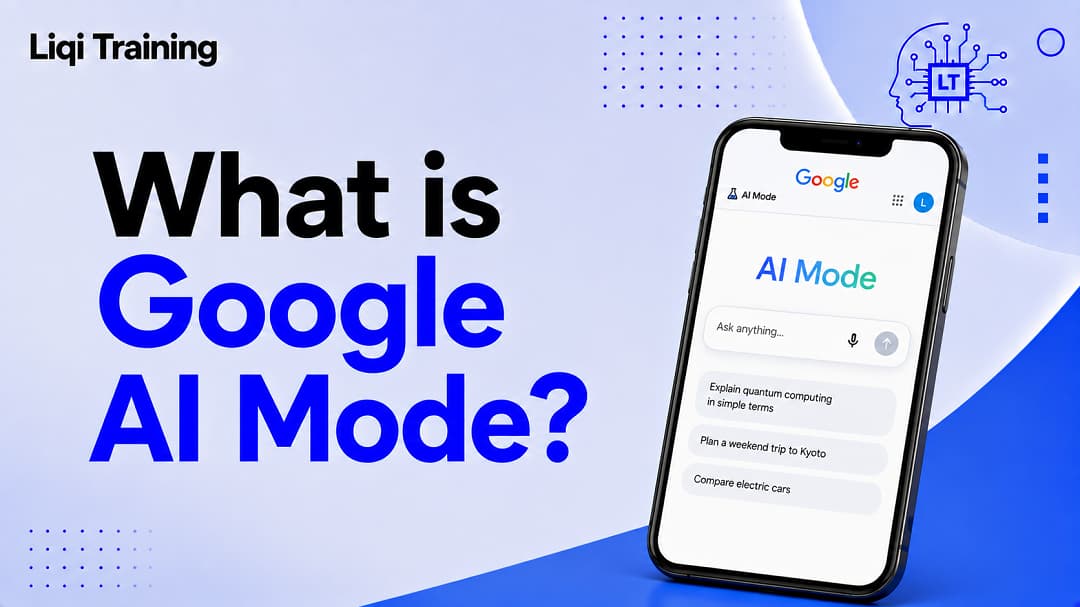
Google AI Mode combines Google Search with Gemini-powered AI to answer complex questions conversationally. It uses a query fan-out technique to break one question into multiple related searches before generating a response. AI Mode supports text, voice, images, and PDF inputs, depending on the device and supported features. Unlike traditional Google Search, AI Mode allows follow-up conversations without starting a new search. AI Mode is designed primarily for web-grounded information retrieval, while assistants such as Gemini, Claude, ChatGPT, and Poly AI are designed for broader conversational or productivity tasks.
Search engines are undergoing one of the biggest transformations since the introduction of mobile search. Instead of returning only a list of web pages, modern search experiences can now understand complex questions, summarize information from multiple sources, support follow-up conversations, and help users complete research tasks more efficiently.
Google AI Mode is at the center of this shift. Rather than replacing Google Search, it extends it by combining Google’s search index with advanced generative AI, allowing users to ask detailed questions in natural language and receive conversational responses supported by links to relevant websites. Google describes AI Mode as its most advanced AI-powered search experience, designed for questions that would previously have required multiple separate searches. This guide explains how Google AI Mode works, how it differs from traditional Search and AI Overviews, where it’s available, and how it compares with Poly AI and other leading AI assistants.
What Is Google AI Mode?
Google AI Mode is an AI-powered search experience that enables users to ask detailed questions in natural language and receive synthesized answers backed by information from across the web.
Instead of returning only blue links, AI Mode generates a conversational response while also providing links that allow users to explore the original sources in greater detail. Users can continue the conversation by asking follow-up questions, making the experience feel more like interacting with an AI assistant than using a traditional search engine.
Google positions AI Mode as an enhancement to Search—not a replacement for the open web. The company continues to include supporting web links so users can verify information and explore topics further.
Why Did Google Create AI Mode?
People increasingly ask search engines questions that are too complex for a few keywords.
Examples include:
- Comparing several products with different requirements.
- Planning multi-day travel itineraries.
- Understanding technical concepts.
- Researching unfamiliar topics.
- Solving complicated problems step by step.
Traditional search often requires multiple searches before users gather enough information.
Google developed AI Mode to reduce this effort by combining advanced reasoning with Google’s search infrastructure, allowing users to receive comprehensive answers from a single prompt while still being able to investigate the cited sources.
How Google AI Mode Differs From Traditional Google Search
Although both services use Google’s search index, the user experience is significantly different.
| Traditional Google Search | Google AI Mode |
|---|---|
| Returns ranked web pages | Generates AI-powered responses |
| Keyword-focused | Natural language conversations |
| Usually one search at a time | Handles complex, multi-part questions |
| Limited follow-up context | Supports conversational follow-up questions |
| User compares sources manually | AI synthesizes information from multiple sources while linking to supporting pages |
Traditional search remains highly effective for quick lookups, known websites, and simple factual questions.
AI Mode is better suited to exploratory research, comparisons, and complex decision-making that benefit from synthesized information.
AI Mode vs AI Overviews
Many users confuse AI Mode with AI Overviews, but they serve different purposes.
AI Overviews
AI Overviews appear directly within standard Google Search results for selected queries.
They provide concise summaries while preserving the traditional search page underneath.
AI Mode
AI Mode creates a dedicated conversational experience.
Users can:
- Ask longer questions.
- Continue with follow-up prompts.
- Upload images or supported documents.
- Explore complex topics in greater depth.
Google explains that AI Mode expands on the capabilities of AI Overviews by offering more advanced reasoning and interactive conversations.
Where Is Google AI Mode Available?
Google continues expanding AI Mode to additional countries and languages.
Availability depends on:
- Country or region
- Supported language
- Google account
- Feature rollout schedule
Google maintains an official list of supported regions and updates it as new markets gain access. Some experimental features may also require participation in Search Labs before becoming widely available.
How to Access Google AI Mode
Access methods may vary depending on your device and region.
On Desktop
Users can access AI Mode by:
- Visiting Google’s dedicated AI Mode page.
- Performing a search on Google and selecting the AI Mode tab when available.
On Mobile
Within the Google app, users can:
- Tap the AI Mode icon from the home screen (where available).
- Ask questions using text.
- Use voice input.
- Upload images.
- Continue previous AI conversations through AI Mode history.
Understanding Google’s Query Fan-Out Technology
One of the most important innovations behind AI Mode is query fan-out.
Rather than searching for your exact question as a single query, AI Mode breaks it into multiple related searches that run simultaneously.
For example, if you ask:
“Which laptop is best for university, has excellent battery life, and can edit 4K videos?”
AI Mode may separately investigate:
- Laptop recommendations for students.
- Battery performance comparisons.
- Hardware requirements for 4K video editing.
- Recent product reviews.
It then combines those findings into one comprehensive response with links to supporting sources. Google states that this approach helps AI Mode answer nuanced questions that previously required multiple separate searches.
This technique also explains why AI Mode can surface a broader variety of supporting websites than a single traditional keyword search.
Why AI Mode Represents a New Era of Search
AI Mode signals a broader shift from keyword-based searching to conversation-based information discovery.
Instead of repeatedly refining search terms, users can describe their complete objective in one prompt, ask clarifying questions, and receive progressively refined answers.
At the same time, Google emphasizes that AI Mode is still an evolving product. Responses may occasionally contain mistakes or lack sufficient context, so users should verify important information by reviewing the linked sources and other search results.
Using Google AI Mode in Everyday Life
Google AI Mode is designed to make searching feel more like having a conversation with a knowledgeable assistant. Instead of entering a series of keywords, users can describe an entire problem, ask follow-up questions, and refine the discussion without starting over.
Because AI Mode combines Google’s search infrastructure with Gemini-powered reasoning, it is particularly useful for research, comparisons, planning, and learning new topics. It also keeps users connected to the open web by including links to supporting sources.
Asking Questions in Different Ways
One of AI Mode’s biggest strengths is its support for multiple input methods.
Rather than relying only on typed searches, users can interact with AI Mode using text, voice, images, and, in supported experiences, PDF documents.
Text-Based Questions
Typing remains the simplest way to interact with AI Mode.
Users can ask straightforward questions such as:
- “What is quantum computing?”
- “Compare electric SUVs under $50,000.”
- “Explain compound interest with examples.”
AI Mode analyzes the request, gathers information from multiple sources, and produces a structured response with links for further reading.
Voice Conversations
Voice support makes AI Mode more natural on smartphones.
Instead of typing, users can speak conversationally, ask additional questions, and clarify earlier responses without repeating the entire topic.
This approach is especially useful when:
- Driving (where appropriate and safely)
- Cooking
- Walking
- Taking notes
- Learning on the go
The experience resembles speaking with a digital assistant while still benefiting from Google’s search index.
Image Search
AI Mode can also analyze uploaded images.
For example, users can:
- Identify plants
- Understand charts
- Learn about landmarks
- Compare products
- Ask questions about diagrams
Instead of simply identifying what’s in an image, AI Mode can explain what users are seeing and answer follow-up questions based on that visual context.
PDF Understanding
Google has expanded AI Mode to support PDF uploads in supported regions and experiences.
This allows users to upload documents and ask questions such as:
- “Summarize this report.”
- “Explain the most important findings.”
- “Compare this document with current information.”
AI Mode combines information from the uploaded document with relevant web sources to produce more comprehensive responses, making it useful for studying, reviewing reports, and understanding technical material.
Follow-Up Conversations
Traditional search treats every query as independent.
AI Mode works differently.
It remembers the context of the current conversation, allowing users to ask natural follow-up questions without repeating earlier details.
For example:
First question
“Compare mirrorless cameras for wildlife photography.”
Follow-up
“Which one has the best battery life?”
Next follow-up
“What if my budget is under $1,500?”
Because AI Mode maintains conversational context, each response builds naturally on the previous one.
Personalized Responses
Google has introduced Personal Intelligence for eligible users, allowing AI Mode to tailor responses based on previous searches and, if the user chooses, connected Google services.
Personalization can include:
- Search history
- Maps activity
- Remembered preferences
- Connected Workspace apps such as Gmail
- Google Photos (when connected)
For example, if you tell AI Mode that you prefer vegetarian recipes or usually travel with children, it can use that information in future responses. Users can also ask AI Mode to remember or forget specific preferences, and they can disable personalization at any time through their Google settings.
Research Workflows
One area where AI Mode stands out is research.
Instead of opening dozens of browser tabs, users can investigate complex subjects through an ongoing conversation.
Typical research tasks include:
- Learning unfamiliar concepts
- Comparing software
- Planning purchases
- Organizing travel itineraries
- Understanding scientific topics
Because AI Mode performs multiple related searches behind the scenes, users often receive broader answers than they would from a single keyword search.
Source Citations and Web Links
Unlike some standalone AI assistants, AI Mode is designed to keep users connected to the web.
Responses typically include links to supporting websites so users can:
- Verify information.
- Read original articles.
- Explore different viewpoints.
- Continue independent research.
Google states that AI Mode relies on high-quality web content and may present only web links instead of an AI-generated summary when it lacks sufficient confidence in producing a helpful response. This approach is intended to improve factual reliability while encouraging users to evaluate original sources.
Common Real-World Use Cases
AI Mode is useful across a wide range of everyday scenarios.
Education
Students can:
- Explain complex topics.
- Summarize study materials.
- Compare historical events.
- Understand scientific concepts.
PDF support also enables learners to ask questions about class notes and research papers where available.
Shopping Research
Consumers can compare products using multiple criteria in a single prompt.
For example:
“Compare the best wireless headphones for travel with excellent battery life and active noise cancellation.”
Instead of manually opening many product pages, AI Mode summarizes key differences while providing links for further investigation.
Travel Planning
Users can plan vacations by asking questions like:
- “Create a five-day itinerary for Tokyo.”
- “Recommend family-friendly attractions.”
- “Estimate transportation costs.”
AI Mode organizes information into a more structured format than traditional search results.
Professional Research
Business users can:
- Compare software platforms.
- Understand industry terminology.
- Research competitors.
- Learn about regulations.
- Gather background information before meetings.
AI Mode accelerates the initial research process while still encouraging users to review the cited sources.
Current Strengths
Google AI Mode offers several notable advantages.
Comprehensive Answers
Instead of requiring multiple searches, AI Mode combines information into a single response.
Natural Conversations
Users can refine questions without restarting their search.
Multimodal Capabilities
Support for text, voice, images, and supported documents creates a more flexible search experience.
Strong Web Integration
Unlike standalone chatbots that may rely primarily on model knowledge, AI Mode is deeply integrated with Google’s search systems and emphasizes links to original sources.
Current Limitations
Despite its capabilities, AI Mode is still evolving.
Google notes that AI-generated responses may occasionally:
- Misinterpret web content.
- Miss important context.
- Produce incomplete answers.
- Require additional verification.
For this reason, users should verify important information using the linked sources, especially when making medical, legal, financial, or other high-impact decisions.
Expand your knowledge with these related AI guides:
- What Is AI? A Complete Beginner’s Guide to Artificial Intelligence, How It Works, and Real-World Applications
- AI Detector vs AI Checker: Which Tool Is More Accurate for Detecting AI-Generated Content?
- Gemini AI vs Claude AI: Features, Pricing, Accuracy, Coding, and Which AI Assistant Is Best?
- Character AI vs Janitor AI: Features, Safety, Pricing, and Which AI Chat Platform Should You Choose?
Google AI Mode vs Other AI Assistants
Google AI Mode is often compared with popular AI assistants, but it was built with a different objective.
Rather than functioning primarily as a standalone chatbot, AI Mode extends Google Search with conversational AI. It combines Google’s search infrastructure, Gemini-powered reasoning, and live web information to answer complex questions while providing links to supporting sources.
Other AI platforms, including Poly AI, Gemini, ChatGPT, Claude, and Perplexity, serve different audiences and solve different problems.
Understanding these differences helps you choose the right tool for each task.
Google AI Mode vs Poly AI
Although both products include “AI” in their names, they target entirely different use cases.
Google AI Mode
Google AI Mode is designed for:
- Web search
- Research
- Product comparisons
- Learning new topics
- Planning projects
- Finding information with supporting sources
It acts as an intelligent layer on top of Google Search.
Poly AI
Poly AI focuses on enterprise customer service rather than consumer search.
Organizations use Poly AI to build conversational voice assistants that handle tasks such as:
- Customer support
- Banking inquiries
- Hotel reservations
- Retail assistance
- Telecommunications support
Instead of helping users research the web, Poly AI helps businesses automate conversations with customers.
Which Should You Choose?
Choose Google AI Mode if you want:
- AI-powered web research
- Search with citations
- Personal learning
- Product comparisons
Choose Poly AI if your organization needs:
- AI voice agents
- Contact center automation
- Customer service at scale
These platforms complement rather than compete with one another because they serve different markets.
Google AI Mode vs Gemini
Many users assume AI Mode and Gemini are the same product.
In reality, they are closely related but designed for different purposes.
Google AI Mode
AI Mode emphasizes:
- Search
- Live web information
- Source citations
- Research workflows
- Follow-up search conversations
Google describes AI Mode as its most advanced search experience, using Gemini models together with Search to answer difficult questions.
Gemini
Gemini is Google’s standalone AI assistant.
It excels at:
- Writing
- Coding
- Brainstorming
- Document analysis
- Creative projects
- Productivity
While Gemini can access web information in supported modes, its primary role is broader than search.
Which Is Better?
For current information and research:
Google AI Mode generally has the advantage because it is deeply integrated with Google Search.
For productivity tasks:
Gemini is usually the stronger choice.
Google AI Mode vs ChatGPT
ChatGPT and AI Mode are among today’s most popular AI experiences, but they approach information differently.
Google AI Mode Strengths
Google AI Mode offers:
- Direct access to Google’s search ecosystem
- Web-grounded responses
- Source links
- Research-oriented conversations
- Query fan-out technology
ChatGPT Strengths
ChatGPT is particularly effective for:
- Writing
- Brainstorming
- Programming
- Data analysis
- Content creation
- General conversations
Depending on the version and tools available, ChatGPT can also browse the web, but its primary design extends beyond search.
Which Platform Fits Your Needs?
If your goal is:
- Finding current information
- Comparing products
- Exploring multiple viewpoints
Google AI Mode is often the better fit.
If you need:
- Long-form writing
- Coding assistance
- Workflow automation
- Creative collaboration
ChatGPT may be more appropriate.
Google AI Mode vs Claude AI
Claude has earned a strong reputation for reasoning, writing quality, and handling lengthy documents.
AI Mode
Best suited for:
- Current events
- Search
- Fact-finding
- Consumer research
- Shopping comparisons
Claude
Best suited for:
- Long reports
- Complex reasoning
- Editing
- Technical documentation
- Large document analysis
Many professionals use Claude for work requiring sustained reasoning, while relying on Google AI Mode for gathering current information from the web.
Google AI Mode vs Perplexity AI
Perplexity AI is one of Google’s closest competitors in AI-powered search.
Both platforms combine conversational AI with web information.
Google AI Mode
Strengths include:
- Integration with Google Search
- Access to Google’s ecosystem
- Multimodal input
- Personalized experiences (where enabled)
- Deep integration with Google services
Perplexity AI
Perplexity focuses heavily on:
- Citation-first answers
- Research workflows
- Academic exploration
- Transparent sourcing
Its interface is intentionally optimized for asking questions and reviewing cited material.
Choosing Between Them
Google AI Mode is ideal if you already rely on Google’s ecosystem.
Perplexity is an excellent option for users who prioritize highly visible citations and dedicated research workflows.
Which AI Is Best for Research?
Different research tasks benefit from different tools.
| Research Need | Recommended Tool |
|---|---|
| Current events | Google AI Mode |
| Product comparisons | Google AI Mode |
| Academic exploration | Perplexity AI |
| Long document analysis | Claude AI |
| Brainstorming research ideas | ChatGPT |
| Google ecosystem research | Gemini |
Rather than replacing traditional search, these AI platforms are becoming complementary research tools.
Which AI Is Best for Productivity?
Productivity involves much more than searching.
| Task | Recommended AI |
|---|---|
| Writing | Gemini or ChatGPT |
| Coding | Claude or ChatGPT |
| Research | Google AI Mode |
| Presentations | Gemini |
| Customer support | Poly AI |
| Business automation | Poly AI |
| Everyday web search | Google AI Mode |
Selecting the appropriate assistant depends on the nature of the work rather than overall popularity.
Advantages and Disadvantages
| Platform | Major Strength | Potential Limitation |
|---|---|---|
| Google AI Mode | AI-powered search with live web information | Primarily focused on search rather than general productivity |
| Poly AI | Enterprise voice automation | Not intended for consumer research |
| Gemini | Productivity and Google Workspace integration | Less search-focused than AI Mode |
| ChatGPT | Versatile writing, coding, and conversation | May require web-enabled features for the latest information |
| Claude | Excellent reasoning and document analysis | Less focused on search workflows |
| Perplexity AI | Strong citation-based research | Smaller ecosystem than Google Search |
Is Google AI Mode Worth Using?
Google AI Mode represents one of the most significant changes to web search in recent years. Rather than replacing Google Search, it extends it with conversational AI, multimodal inputs, and advanced reasoning powered by Gemini models while keeping users connected to original web sources. Google positions AI Mode as its most capable search experience for exploring complex questions that would otherwise require multiple searches.
Whether it is the right tool depends on how you use AI and what type of information you need.
Best for Students
Students frequently need to:
- Understand difficult concepts
- Summarize research papers
- Compare theories
- Prepare for exams
- Find reliable learning resources
Google AI Mode simplifies these tasks by combining conversational explanations with links to supporting websites, allowing students to verify information and continue their research independently.
Its ability to answer follow-up questions also makes learning more interactive than traditional keyword searching.
Recommendation
Google AI Mode is an excellent choice for students conducting online research, particularly when they want current information supported by web sources.
Best for Professionals
Professionals often need quick access to accurate, up-to-date information.
Examples include:
- Industry research
- Product comparisons
- Market analysis
- Travel planning
- Business regulations
AI Mode reduces the time spent opening multiple browser tabs by summarizing information from several sources while still linking to the original websites.
For writing reports, creating presentations, or generating code, dedicated AI assistants such as Gemini or ChatGPT may still offer broader productivity features.
Recommendation
Use Google AI Mode for research.
Use Gemini or other productivity-focused assistants for creating content.
Best for Researchers
Researchers often ask questions that involve multiple variables.
For example:
“Compare electric vehicle battery technologies used by major manufacturers and explain which performs best in cold climates.”
Rather than treating this as one search, AI Mode breaks it into multiple related searches using Google’s query fan-out approach before generating a structured response with supporting links.
This makes AI Mode particularly valuable during the early stages of research.
However, researchers should always verify important claims by consulting the cited sources directly.
Best for Businesses
Businesses can benefit from AI Mode in several ways.
Typical applications include:
- Competitive research
- Industry monitoring
- Product research
- Consumer trend analysis
- Market comparisons
Unlike enterprise AI platforms such as Poly AI, Google AI Mode is not designed to automate customer service or operate contact centers.
Instead, it helps employees find and synthesize information more efficiently.
Organizations that need AI-powered voice agents or customer support automation will generally find Poly AI better suited to those specialized requirements.
Frequently Asked Questions
Is Google AI Mode free?
Google AI Mode is available to eligible users in supported regions. Some advanced capabilities and higher usage limits are associated with Google AI subscription plans, and availability varies by country and account type.
Is Google AI Mode the same as Gemini?
No.
Although AI Mode uses Gemini models, they are different products.
- Google AI Mode focuses on AI-powered search and information discovery.
- Gemini is Google’s general-purpose AI assistant for writing, coding, brainstorming, document analysis, and productivity.
Is Google AI Mode better than ChatGPT?
They serve different purposes.
Google AI Mode is optimized for:
- Web research
- Current information
- Source-backed answers
- Search workflows
ChatGPT is better suited for:
- Creative writing
- Programming
- Brainstorming
- Content generation
- Workflow assistance
Many users benefit from using both depending on the task.
Does AI Mode replace traditional Google Search?
No.
Google continues to support traditional search alongside AI Mode.
Users can still search normally, while AI Mode provides an additional conversational option for more complex queries.
Can AI Mode make mistakes?
Yes.
Google states that AI Mode is still evolving and may occasionally misunderstand web content, omit important context, or produce inaccurate responses. The company recommends checking the linked sources and comparing information across multiple references, particularly for medical, legal, financial, or other high-impact decisions.
Conclusion
Google AI Mode marks an important evolution in how people search for information online.
Instead of forcing users to refine keywords repeatedly, it enables natural conversations, supports text, voice, image, and document inputs, and combines multiple searches into a single AI-generated response with links to supporting websites. This approach makes complex research faster and more accessible while preserving access to the broader web.
However, AI Mode is not intended to replace every AI assistant.
If your primary goal is researching current events, comparing products, or exploring unfamiliar topics with web-backed information, Google AI Mode is one of the strongest options available.
If your work centers on writing, coding, long-form document creation, or creative collaboration, dedicated assistants such as Gemini, Claude, or ChatGPT are generally more suitable.
As AI continues reshaping search, the most effective workflow may involve combining AI-powered search with specialized AI assistants, choosing each tool according to the task rather than expecting a single platform to excel at everything.
Explore Related AI Articles
Continue building your AI knowledge with these in-depth guides:
- AI Detector vs AI Checker: Which Tool Is More Accurate for Detecting AI-Generated Content?
- Character AI vs Janitor AI: Features, Safety, Pricing, and Which AI Chat Platform Should You Choose?
- Gemini AI vs Claude AI: Features, Pricing, Accuracy, Coding, and Which AI Assistant Is Best?
- What Is AI? A Complete Beginner’s Guide to Artificial Intelligence, How It Works, and Real-World Applications
Together, these articles provide a comprehensive foundation for understanding modern artificial intelligence, AI-powered search, conversational assistants, content detection tools, and the rapidly evolving AI ecosystem.
ADVERTISEMENT