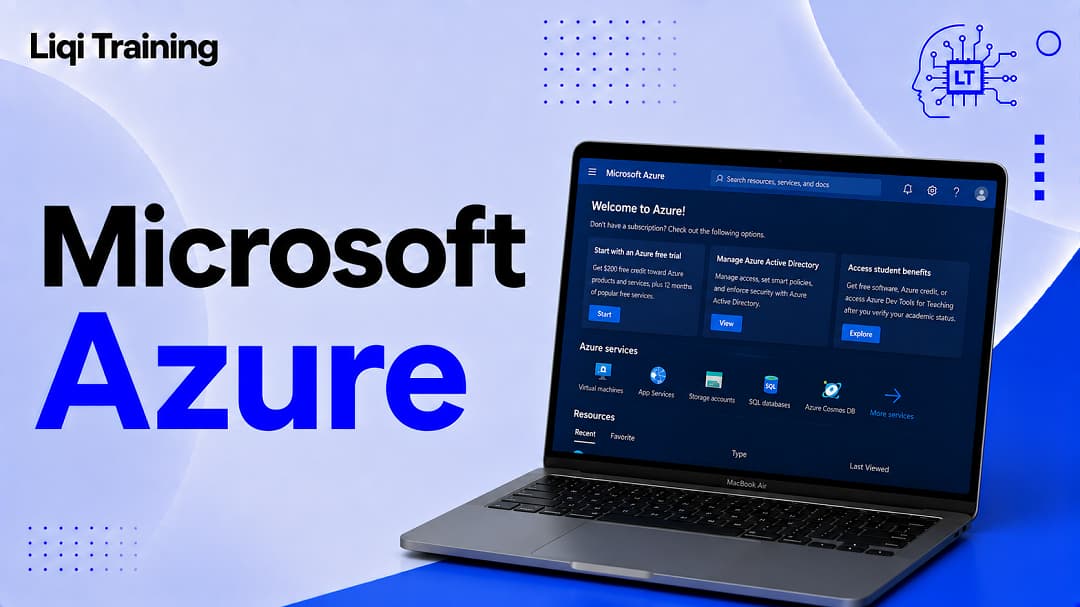
Microsoft Azure is one of the world’s major cloud-computing platforms, providing businesses, developers, governments, and other organizations with access to computing power, storage, databases, networking, artificial intelligence, analytics, security, and many other technology services.
Instead of buying and maintaining all the physical servers required to run an application, an organization can use Azure’s infrastructure and services through Microsoft’s cloud.
That sounds simple, but Azure is much broader than renting server space.
Azure includes hundreds of services covering everything from virtual machines and databases to application development, cybersecurity, artificial intelligence, Internet of Things technologies, data analytics, and hybrid-cloud infrastructure. Microsoft currently describes Azure as a platform for building, running, and managing applications and AI workloads across cloud, on-premises, and edge environments.
For someone encountering Azure for the first time, the sheer number of products can make the platform difficult to understand. Azure Virtual Machines, Azure Functions, Azure SQL Database, Azure Blob Storage, Azure Kubernetes Service, Azure AI services, Microsoft Entra ID, and many other names can quickly become overwhelming.
The easiest way to understand Azure is to start with the problem it solves: giving organizations access to technology infrastructure and services without requiring them to build and operate everything themselves.
Important Points:
Microsoft Azure is Microsoft’s cloud-computing platform. It provides services that allow organizations to build applications, store data, run workloads, manage networks, develop AI systems, and operate digital infrastructure.
The most important points are:
- Azure provides infrastructure, platforms, databases, storage, networking, security, analytics, and AI services.
- Organizations can use Azure without owning all of the underlying physical infrastructure themselves.
- Azure uses a global network of geographic regions, with regions containing datacenters and networking infrastructure.
- Azure pricing is generally consumption-based, although Microsoft also offers reservations, savings plans, and other purchasing options.
- New Azure customers may qualify for a free account with a limited credit and free service allowances, subject to Microsoft’s current terms.
- Azure can support everything from a small application prototype to large enterprise and AI workloads.
- Choosing the right Azure region matters because location can affect latency, data residency, availability, service availability, and cost.
Azure is therefore best understood not as one product, but as a large collection of cloud services operating through Microsoft’s global infrastructure.
What Is Microsoft Azure?
Microsoft Azure is a cloud-computing platform operated by Microsoft.
Cloud computing allows organizations to access computing resources over a network rather than purchasing and operating all of the physical infrastructure themselves.
With Azure, a company can provision resources such as virtual machines, databases, storage accounts, networks, application platforms, and AI services through Microsoft’s cloud.
For example, a software company developing a mobile application might need servers to process requests, a database to store customer information, storage for uploaded files, and security controls to protect access.
Instead of purchasing physical servers and building a datacenter, the company can deploy appropriate Azure services and scale them as its requirements change.
Microsoft’s current description of Azure emphasizes infrastructure, data, AI applications, agents, and enterprise workloads as connected components of the platform.
That flexibility is one of the central ideas behind cloud computing.
A business does not necessarily have to predict exactly how much computing capacity it will need several years from now. It can provision resources as needed and adjust its infrastructure as workloads change.
Why Does Azure Exist?
Before cloud platforms became widespread, companies commonly had to purchase servers, networking equipment, storage systems, backup hardware, and other infrastructure to operate applications.
That model gave organizations direct control over their infrastructure, but it also created significant responsibilities.
Someone had to purchase the hardware, install it, maintain it, replace failed components, provide physical security, manage cooling and electricity, and plan for additional capacity.
Cloud platforms changed that model.
Azure allows Microsoft customers to consume computing infrastructure and services from Microsoft’s datacenters instead of operating every part of the underlying physical environment themselves.
This does not mean an organization has no responsibility. Customers still have to configure applications, permissions, networks, security controls, data protection, and other aspects of their environment.
The difference is that Azure provides the underlying cloud platform on which those systems can be built.
How Does Microsoft Azure Work?
Azure operates through a large global infrastructure of datacenters, networking systems, and cloud services.
Customers create an Azure account and then provision the services their applications or workloads require.
A simplified example might look like this:
A developer creates an application → the application runs on Azure infrastructure → data is stored in an Azure database or storage service → users connect through the internet → Azure provides the underlying computing and networking resources.
The actual architecture can be considerably more complex.
A large company could distribute applications across multiple Azure regions, use separate networks and security controls, replicate data, monitor workloads, and establish disaster-recovery processes.
Azure regions are particularly important to understanding how the platform works.
Microsoft defines an Azure region as one or more datacenters connected through high-capacity, fault-tolerant, low-latency networking. Each region belongs to a geography that acts as a data-residency boundary.
This geographic structure allows organizations to make decisions about where their workloads operate.
What Are Azure Regions?
An Azure region is a geographic area containing Azure datacenter infrastructure.
Microsoft currently lists more than 70 Azure regions globally.
Regions are not simply interchangeable locations.
The services, features, availability zones, pricing, capacity, and regulatory considerations available in one region may differ from another.
For example, Microsoft’s current region list includes United States North, located in Illinois, and United States West, located in Wyoming. Microsoft identifies United States North as supporting availability zones.
That geographic availability can be important for organizations operating in United States.
A business serving United States customers might consider a United States region when latency, data residency, or regulatory requirements make local infrastructure desirable. However, the correct region depends on the application’s requirements and the specific Azure services being used.
Microsoft recommends considering factors such as latency, data residency, availability zones, service availability, and cost when selecting regions.
What Are Azure Availability Zones?
Availability zones are separate datacenter locations within an Azure region that are designed to provide isolation from certain infrastructure failures.
Microsoft describes availability zones as independent sets of datacenters with separate power, cooling, and networking infrastructure. They remain close enough to communicate with low latency while providing physical separation for fault isolation.
This matters when designing applications that need higher resilience.
Suppose an application operates in a single location and that infrastructure experiences a serious failure. A well-designed application could potentially use multiple availability zones to reduce the effect of a failure affecting one zone.
Not every Azure service supports availability zones in every region, so developers need to check service-specific availability before designing an architecture around them.
Availability zones should therefore not be confused with Azure regions.
A region is a broader geographic area. Availability zones are isolated datacenter locations within supported regions.
What Services Does Microsoft Azure Offer?
Azure is enormous, and Microsoft continually adds, changes, and retires services. Rather than trying to memorize the entire catalog, beginners should understand the major categories.
Compute
Compute services provide the processing resources needed to run applications and workloads.
Azure Virtual Machines are one example. They allow organizations to run virtualized Windows or Linux machines in Microsoft’s cloud.
Other compute options allow developers to run applications without managing traditional virtual machines themselves.
Azure Functions, for example, is a serverless computing service designed to run code in response to events without requiring developers to manage the underlying server infrastructure directly.
The important distinction is that Azure gives customers several levels of control.
A virtual machine provides considerable control over the operating environment. More managed services reduce the amount of infrastructure customers need to operate themselves.
Storage
Cloud applications need somewhere to store files, backups, application data, logs, and other information.
Azure provides several storage services for different requirements.
Azure Blob Storage, for example, is designed for storing large amounts of unstructured data such as documents, images, videos, backups, and application-generated files.
This is different from Microsoft’s OneDrive consumer and productivity-oriented file-storage experience.
If you’re building a broader Microsoft content cluster, the article What Is Microsoft OneDrive? How Cloud Storage, File Sharing, and Backup Work provides useful context for readers who may confuse OneDrive with Azure storage.
OneDrive is designed primarily around individual and organizational file management within Microsoft’s productivity ecosystem. Azure storage services are designed as programmable cloud infrastructure for applications and workloads.
Databases
Applications frequently need databases to store structured information.
Azure provides managed database services, including Azure SQL Database and other database technologies.
A managed database service can reduce the amount of infrastructure administration required from a development team because Microsoft operates the underlying cloud service.
The exact responsibilities that remain with the customer depend on the service and architecture.
Networking
Azure networking services connect applications, users, servers, and other resources.
Organizations can create virtual networks, control traffic, establish private connections, use load-balancing technologies, and configure other networking components.
Networking becomes especially important when companies operate multiple applications or combine cloud infrastructure with existing on-premises systems.
Artificial Intelligence
AI is now one of Azure’s major areas of development.
Microsoft positions Azure as a platform for building and running AI applications and agents, with infrastructure and services intended for organizations developing AI workloads.
Azure AI services can support applications involving areas such as language, speech, computer vision, search, and generative AI.
This is also where Azure connects with Microsoft’s broader AI strategy.
If you have already read What Is Microsoft Copilot? How Microsoft’s AI Assistant Works and What It Can Do, it is useful to understand that Copilot and Azure are related parts of Microsoft’s technology ecosystem but serve different purposes.
Copilot provides AI assistance through supported Microsoft experiences. Azure provides cloud infrastructure and services that organizations can use to build, deploy, and operate applications, including AI applications.
Security and Identity
Cloud infrastructure also requires strong identity and security controls.
Microsoft provides Azure security and identity services that allow organizations to control who can access resources and how those resources are protected.
Microsoft Entra ID is an important part of Microsoft’s identity ecosystem, while Azure also provides services for security monitoring, threat protection, governance, compliance, and access management.
Security configuration remains a shared responsibility. Using Azure does not automatically make an application’s configuration secure.
Organizations still need appropriate identity policies, permissions, network controls, monitoring, backups, and security procedures.
What Is Azure Virtual Machines?
Azure Virtual Machines allow customers to create virtualized computers in Microsoft’s cloud.
You can think of a virtual machine as a computer that exists within Azure’s infrastructure rather than sitting physically on a desk in your office.
A business could use a virtual machine to run an application, host a website, operate a development environment, or perform other computing tasks.
Azure provides different virtual machine configurations for different workloads.
The customer is generally responsible for managing much of the operating-system and application environment, making virtual machines more hands-on than highly managed platform services.
This makes them useful when an organization needs significant control over the computing environment.
What Is Azure App Service?
Azure App Service is a managed platform for hosting web applications and APIs.
Instead of manually configuring a virtual machine and maintaining all of its underlying software, developers can use a managed application-hosting service.
This can simplify deployment and operations for supported application types.
The broader Azure concept here is important: not every cloud workload needs the same level of infrastructure management.
A developer who wants maximum operating-system control may choose virtual machines. Another developer who wants Microsoft to manage more of the infrastructure may prefer a platform service such as App Service.
Azure provides multiple options because applications have different technical requirements.
What Is Azure SQL Database?
Azure SQL Database is Microsoft’s managed relational database service based on the SQL Server family of technologies.
A relational database stores structured information in tables and provides tools for querying and managing that information.
For example, an online store could use a database to store customer accounts, product information, orders, and transaction-related records.
Using a managed database service can reduce the operational work associated with maintaining database infrastructure, although customers still need to design appropriate schemas, queries, permissions, backup strategies, and application architecture.
What Is Azure Kubernetes Service?
Kubernetes is an open-source platform used to manage containerized applications.
Azure Kubernetes Service, commonly abbreviated as AKS, provides a managed Kubernetes environment on Azure.
Containers allow applications and their dependencies to be packaged in a standardized way, which can make them easier to deploy consistently across environments.
Kubernetes then provides orchestration capabilities for managing groups of containers.
AKS is therefore more relevant to development teams operating sophisticated container-based applications than to a beginner who simply wants to host a basic website.
The important point is that Azure supports both relatively simple cloud deployments and complex enterprise architectures.
Is Microsoft Azure Free?
Azure is not simply a free service.
Microsoft offers several ways for new customers to try Azure, including a free account with a limited credit and free service allowances under Microsoft’s current terms. Microsoft currently advertises a $200 credit for new Azure customers to use within 30 days, along with free monthly amounts for selected services.
Microsoft also lists more than 60 services with free monthly amounts that are available under specified conditions, while additional services may have free allowances for new customers for a limited period.
Once the applicable free allowances or credit are exhausted, customers may need to move to a paid arrangement to continue using services.
This is why anyone experimenting with Azure should monitor usage rather than assuming that an account will remain free indefinitely.
How Much Does Microsoft Azure Cost?
There is no single monthly price for Azure.
Azure uses consumption-based pricing across many services, meaning the cost depends on the resources and services you use.
Microsoft describes Azure pricing as including consumption-based models as well as commitment options such as reservations and Azure savings plans for eligible workloads.
For example, the cost of running a virtual machine depends on factors such as its configuration, region, operating system, and how long it runs.
Storage costs depend on the storage service, amount of data, redundancy configuration, transactions, and other factors.
Database pricing depends on the selected service and configuration.
Networking can introduce additional charges depending on the architecture and traffic involved.
Consequently, an article giving one generic “Azure price” would be misleading.
Microsoft provides an Azure Pricing Calculator that customers can use to estimate costs for specific services and configurations.
How Azure Pricing Works
Azure pricing can initially appear complicated because different services use different billing measurements.
One service might charge based on compute time. Another may charge based on stored data. Another could involve requests, transactions, bandwidth, or provisioned capacity.
This means cloud cost management needs to be part of application planning rather than something considered only after deployment.
Microsoft recommends comparing costs when selecting Azure regions because pricing can differ between locations.
Businesses can also use Azure’s cost-management tools and pricing resources to monitor and control spending.
For a small project, this might mean checking usage regularly. For a large organization, it can involve budgets, governance policies, resource tagging, reservations, savings plans, and automated cost controls.
Why Do Companies Use Azure?
Azure is attractive to organizations for several reasons.
First, it provides access to a broad collection of cloud services through one major platform.
Second, it can scale from small workloads to large enterprise systems.
Third, Azure has a global infrastructure, allowing organizations to deploy workloads in different geographic locations.
Fourth, Microsoft supports hybrid scenarios, meaning organizations can combine cloud resources with existing on-premises infrastructure.
Finally, Azure connects closely with Microsoft’s broader enterprise ecosystem.
That last point can be particularly important for organizations already using Microsoft products.
Our Microsoft Explained: Products, Services, AI, and Everything You Need to Know article provides a broader overview of the company and helps place Azure alongside Microsoft’s other major products and services.
Azure is the cloud platform; it is not synonymous with Microsoft as a whole.
Azure and Microsoft 365: What’s the Difference?
Azure and Microsoft 365 are both Microsoft products, but they address different needs.
Microsoft 365 is primarily a productivity and collaboration ecosystem. It includes applications and services such as Word, Excel, PowerPoint, Outlook, Teams, OneDrive, and other Microsoft productivity tools, depending on the subscription.
Azure is Microsoft’s cloud-computing platform.
The distinction becomes clearer when considering the intended user.
A person using Word to write a document or Teams to attend a meeting is using Microsoft 365-related productivity software.
A developer deploying a web application to a virtual machine, database, or application platform is using Azure cloud infrastructure.
Our Microsoft 365 Guide: Features, Pricing, Login, Apps, and Benefits Explained can serve as the natural companion article for readers who want to understand Microsoft’s productivity subscription rather than its cloud platform.
The two ecosystems can also work together. An organization might use Microsoft 365 for employee productivity while using Azure to host applications and infrastructure.
Azure and Microsoft Teams: How Are They Related?
Microsoft Teams is primarily a communication and collaboration application, while Azure is Microsoft’s cloud platform.
If you have read Microsoft Teams: How It Works, Features, Meetings, and Productivity Tips, you can think of Teams as an application people use to communicate and collaborate, whereas Azure is the underlying cloud platform from which organizations can build and operate a much wider range of technology workloads.
The distinction is important because Microsoft has many products that use cloud infrastructure without all of them being Azure products.
Teams, Microsoft 365, Azure, OneDrive, and Copilot belong to a broader Microsoft ecosystem, but each serves a different purpose.
Azure vs. Traditional On-Premises Servers
Traditional on-premises infrastructure means an organization owns or leases physical servers and operates them within facilities under its control.
Azure shifts much of the physical infrastructure into Microsoft’s cloud.
This can provide greater flexibility because organizations can provision resources without purchasing physical hardware for every workload.
It can also make experimentation easier.
A developer can create a test environment, deploy an application, evaluate it, and remove the resources without necessarily purchasing permanent physical infrastructure.
However, cloud computing does not automatically reduce every cost.
An organization with predictable workloads may benefit from long-term commitments or existing infrastructure investments. Poorly managed cloud environments can also become expensive.
The right decision depends on workload characteristics, technical requirements, regulatory obligations, staffing, existing infrastructure, and total cost of ownership.
Is Azure Secure?
Azure includes a substantial collection of security, identity, monitoring, and compliance capabilities.
However, saying that “Azure is secure” without explaining the customer’s responsibilities would be incomplete.
Cloud security follows a shared-responsibility model. Microsoft is responsible for securing aspects of the underlying cloud infrastructure, while customers remain responsible for elements such as their configurations, applications, identities, data, and access controls, depending on the service.
For example, an organization can still create security problems by giving excessive permissions to users, exposing resources unnecessarily, using weak credentials, or failing to monitor suspicious activity.
Security therefore depends on both Microsoft’s infrastructure and the customer’s implementation.
For businesses, Azure security planning should begin before production deployment rather than after an incident occurs.
Does Azure Support AI?
Yes. AI is now a major part of Microsoft’s Azure strategy.
Microsoft currently describes Azure as a platform for building and running AI applications and agents, with infrastructure intended to support AI workloads at scale.
Organizations can use Azure services to develop applications involving generative AI, machine learning, search, language processing, speech, vision, and other AI-related workloads.
This is one reason Azure has become increasingly important to Microsoft’s overall cloud strategy.
However, Azure AI and Microsoft Copilot should still be distinguished.
Copilot is an AI assistant experience available across supported Microsoft products.
Azure provides the cloud infrastructure and development services organizations can use to build and operate AI applications.
Who Uses Microsoft Azure?
Azure is used by organizations across many industries and sizes.
Large enterprises can use it for application hosting, databases, analytics, identity, security, AI, and hybrid infrastructure.
Smaller companies can use selected Azure services without operating their own datacenter.
Developers can use Azure to create applications, test software, host APIs, manage databases, and build cloud-native systems.
Government and regulated organizations may also use cloud services where their specific regulatory, security, residency, and procurement requirements are satisfied.
The appropriate Azure architecture depends heavily on the organization’s needs.
There is no single Azure configuration that is correct for every business.
What Are the Advantages of Microsoft Azure?
Azure’s biggest advantage is breadth.
Instead of combining many unrelated cloud providers for every technology requirement, an organization can access a large range of services through Microsoft’s platform.
Its global infrastructure is another advantage. Microsoft currently operates Azure regions across many geographic areas, giving customers choices concerning latency, residency, resilience, and service availability.
Azure also supports different infrastructure models.
A company can use virtual machines when it needs substantial control, managed application services when it wants less infrastructure administration, serverless services for event-driven workloads, and specialized platforms for databases, analytics, AI, and other requirements.
Microsoft’s integration with its wider enterprise ecosystem can also be valuable for organizations already using Microsoft technologies.
What Are the Challenges of Using Azure?
Azure’s flexibility also creates complexity.
There are hundreds of services, numerous configuration options, different pricing models, regional differences, and security considerations.
A beginner can therefore create an Azure environment without fully understanding what each component does.
Cost is another challenge.
Because many Azure services operate according to consumption-based pricing, resources that remain running or generate substantial traffic can produce unexpected charges if they are not monitored. Microsoft provides pricing and cost-management resources to help customers estimate and manage expenditure.
Architecture is another consideration.
A poorly designed application can perform badly or become unnecessarily expensive even when it is running on a powerful cloud platform.
Azure provides the infrastructure, but customers still need sound technical decisions.
How to Get Started With Microsoft Azure
A beginner does not need to understand the entire Azure catalog before creating an account.
Start with a specific objective.
For example, you might want to:
Host a website.
Create a database.
Build an AI application.
Store application files.
Run a virtual machine.
Learn cloud computing.
Once you know the objective, identify the Azure service designed for that requirement.
New customers can currently explore Azure through Microsoft’s free-account offering, which includes a limited credit and specified free service allowances under Microsoft’s terms.
Before deploying anything significant, understand how the selected service is billed.
Then select an appropriate Azure region.
Finally, configure security and cost controls before allowing the workload to run continuously.
A small learning project should be treated differently from a production application serving customers.
How to Choose an Azure Region
Region selection is more than choosing the location closest to you.
Microsoft recommends considering several factors, including data residency, latency, available services, availability zones, pricing, and capacity.
For a South African application, for example, a South African region may offer useful latency and data-residency characteristics. But the developer still needs to confirm that the required Azure services and features are available there.
Microsoft’s region documentation specifically notes that Azure services are not necessarily available in every region.
A practical region-selection process is therefore:
Choose where your users are located → check data-residency requirements → verify service availability → compare pricing → evaluate availability zones and resiliency → then select the deployment region.
That sequence helps avoid choosing a region first and discovering later that an important service or feature isn’t available there.
Azure for Beginners: What Should You Learn First?
If you’re completely new to cloud computing, trying to learn every Azure service at once is unnecessary.
Start with the basic concepts:
Cloud computing explains the overall model.
Regions explain where Azure resources operate.
Resource groups help organize related Azure resources.
Compute provides processing power.
Storage holds files and other data.
Databases store structured application information.
Networking connects resources and controls traffic.
Identity and security determine who can access resources and what they can do.
Once these concepts make sense, individual Azure services become much easier to understand.
You can then move into more specialized areas such as containers, Kubernetes, serverless computing, AI, analytics, DevOps, and hybrid cloud.
Conclusion
So, what is Microsoft Azure?
Azure is Microsoft’s cloud-computing platform. It provides the infrastructure and services organizations can use to build applications, store information, run databases, connect systems, develop AI solutions, manage identities, analyze data, and operate digital workloads.
Its biggest strength is not one individual product. It is the breadth of the platform.
A developer can use Azure to host a relatively simple application. A large organization can use it as part of a complex global infrastructure involving multiple regions, databases, networks, security systems, AI workloads, and disaster-recovery strategies.
Azure’s global architecture also matters. Microsoft currently provides more than 70 regions, while individual regions can have different service availability and resilience features.
For beginners, the most important thing is not memorizing Azure’s product catalog. Understand the basic cloud model first, then learn the specific services that solve the problem you are trying to solve.
Azure also makes more sense when viewed alongside Microsoft’s other products.
Microsoft 365 is centered on productivity and collaboration.
Teams focuses on communication and teamwork.
OneDrive focuses on cloud file storage and synchronization.
Copilot adds AI assistance to supported Microsoft experiences.
Azure provides a broad cloud platform for infrastructure, applications, data, security, and AI.
Those products can work together, but they are not interchangeable.
As cloud computing and AI continue to become more closely connected, Azure is increasingly positioned by Microsoft as the infrastructure and platform layer for organizations building and operating modern applications.
For anyone starting to explore cloud computing, understanding Azure is therefore useful not only for learning Microsoft’s technology but also for understanding how modern applications and digital services are increasingly built and operated.
ADVERTISEMENT