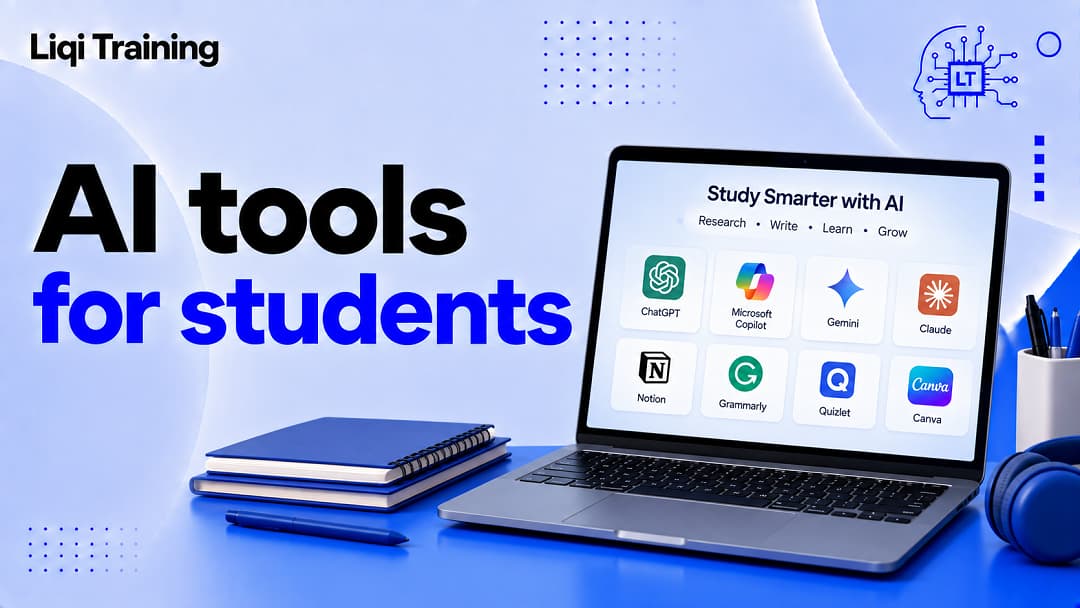
AI tools for students can support studying, research, writing, organization, and exam preparation, but they work best when they strengthen your own understanding. Use AI to explain, question, quiz, summarize, organize, and provide feedback rather than automatically completing graded work. Always verify important facts, references, calculations, quotations, and citations against reliable sources.
Your school, college, university, instructor, or assignment may have specific rules governing AI use. Those rules should take priority. Protect private information, unpublished research, passwords, personal records, and other sensitive material when using AI services. The best student AI workflow combines AI assistance with active recall, practice, original thinking, and independent verification.
But the most useful AI tools for students are not necessarily the ones that produce the fastest answer. The better approach is to use AI as a learning assistant while keeping your own reasoning, research, writing, and judgment at the center of the work. That distinction matters because an AI system can produce an explanation that sounds convincing while still being incomplete or incorrect. It can also make it tempting to skip the learning process entirely.
OpenAI’s current education guidance, for example, describes student uses including learning course material, improving academic work, planning projects and exams, and preparing for careers. Its Study Mode is specifically designed to guide students through problems with questions, explanations, practice, and knowledge checks rather than simply providing an answer.
If you’re new to artificial intelligence, it may also help to start with this guide to what AI is and how artificial intelligence works, which explains the underlying technology before you start using AI tools for school.
1. Turn difficult topics into simpler explanations
One of the most useful applications of AI for students is getting an explanation at the right level.
A textbook might introduce a complicated concept using terminology that makes sense to someone who already understands the subject. An AI assistant can take the same concept and explain it in simpler language, provide an analogy, or break it into smaller ideas.
For example, instead of asking an AI tool to “explain photosynthesis,” you could ask:
Explain photosynthesis as if I understand basic biology but struggle with the chemical processes. Break it into five stages and test me after each stage.
The second prompt creates a learning process rather than simply requesting a definition.
Ask for different explanations when the first one does not work
If an explanation still feels confusing, ask the AI to approach the subject differently.
You might request:
- a real-world analogy;
- a step-by-step explanation;
- a comparison with a related concept;
- a beginner explanation followed by a more advanced version.
This approach is particularly useful when studying mathematics, science, economics, programming, accounting, or other subjects where one misunderstood concept can make later material much harder.
2. Turn class notes into a study guide
Students often have plenty of material but struggle to organize it before an exam.
An AI tool can help transform your own notes into a structured study guide containing definitions, major concepts, possible questions, and areas that need additional review.
For example, you could provide your lecture notes and ask the tool to identify the main concepts without adding information that is not contained in the material.
Some AI learning tools can also work directly with uploaded notes, slides, worksheets, images, or PDFs. ChatGPT’s current Study Mode, for example, supports working with uploaded course materials and can help students create practice questions and review difficult sections.
The important distinction is that the notes remain your source material. AI is helping organize and work with them rather than replacing the course itself.
3. Create practice questions before an exam
Reading notes repeatedly can create the feeling that you understand a subject without proving that you can recall it independently.
Practice questions address that problem.
Ask an AI tool to create questions based on your study material and then answer them without looking at the source.
You can request multiple-choice questions for quick review, short-answer questions for recall, or longer problems that require you to show your reasoning.
A stronger approach is to have the AI wait for your answer before revealing the solution. That turns the interaction into active practice.
OpenAI’s Study Mode includes knowledge checks, quizzes, and feedback as part of its learning approach.
4. Build a personalized study plan
Another practical use of AI tools for students is planning.
Instead of asking for a generic study schedule, provide the subjects you need to cover, the amount of material, your available study time, and the date of the exam.
The AI can then help divide the workload into manageable sessions.
For example:
I have four chapters of biology, three chapters of statistics, and two economics units to review. I have seven days and two hours available each evening. Create a study plan that includes practice questions and review days.
The resulting plan should be treated as a starting point rather than a fixed prescription. You may discover that one subject takes twice as long as another, so adjust the schedule based on your actual progress.
5. Use AI as a quiz partner
AI can also simulate a tutoring conversation.
Instead of asking for answers, tell the AI to question you one concept at a time. When you answer incorrectly, ask it to explain the mistake and give you another problem.
This creates a feedback loop:
Question → your answer → feedback → correction → another question.
That is more useful for learning than repeatedly copying explanations into your notes.
UNESCO’s AI Competency Framework for Students emphasizes the importance of critical judgment, ethical awareness, AI knowledge, and responsible use rather than treating AI as a replacement for student thinking.
6. Brainstorm ideas for assignments
AI can be useful during the early planning stage of an assignment.
Suppose you have been given a broad topic such as climate change, cybersecurity, business strategy, or artificial intelligence. You can ask an AI assistant to suggest possible angles and research questions.
The goal should be to expand your thinking, not outsource the assignment.
For example:
Give me 10 possible research questions about the impact of AI on small businesses. For each one, explain what evidence I would need to investigate it.
You can then select an angle and conduct the research yourself.
This is particularly useful when you understand the assignment but are stuck at the starting point.
7. Improve the structure of your writing
AI writing tools can provide useful editorial feedback without necessarily writing your paper for you.
You could paste a paragraph you wrote and ask:
Identify where my argument becomes unclear. Do not rewrite it. Explain what I should improve.
That type of feedback preserves your ownership of the work.
You can also ask the tool to identify repetition, weak transitions, unsupported claims, or unclear sentences.
If you’re researching AI-generated writing and detection, this related guide AI Detector vs AI Checker and how accurate they are can provide useful context about the limitations of automated AI-content detection.
Keep your own voice
An AI rewrite can sound polished while making your writing less personal or less representative of what you actually think.
For essays, applications, reflections, and other assignments where your voice matters, use AI primarily as an editor or brainstorming partner unless your institution explicitly permits AI-generated drafting.
8. Summarize long reading material
AI can help you get an initial overview of a long reading, provided you still consult the original material when details matter.
For example, you could ask for:
- the central argument;
- the author’s main supporting points;
- important terms;
- unresolved questions;
- areas that require further research.
The resulting summary should be a navigation aid, not a replacement for reading.
This is especially important for academic papers because an AI summary may omit qualifications, misunderstand an argument, or simplify a nuanced conclusion.
9. Help organize research
Research can become difficult when you have dozens of notes, articles, ideas, and questions.
AI can help categorize material into themes or identify connections among information you have already collected.
For example, you could organize notes under headings such as background, evidence, counterarguments, case studies, and conclusion.
However, do not assume that an AI-generated research summary proves that a source supports a particular claim. Open the original source and verify the evidence yourself.
This distinction becomes especially important when an assignment requires academic citations.
10. Compare competing explanations
Sometimes understanding a topic requires seeing competing perspectives.
You can ask an AI assistant to explain two theories, approaches, or arguments and identify where they agree and disagree.
For example:
Compare Keynesian and monetarist approaches to inflation. Explain the main difference, the assumptions behind each approach, and one criticism of each.
The answer gives you a framework for further research. It should not be treated as the final authority on a complex academic debate.
11. Practice presentations and interviews
AI can also act as a practice partner.
For a presentation, ask it to generate questions an audience might ask after your presentation. Answer those questions yourself and then ask the AI to identify gaps in your explanation.
For an internship or job interview, AI can simulate an interviewer and provide feedback on the clarity of your responses.
Student-focused AI education resources increasingly include career preparation alongside academic learning, including interview preparation and resume-related support.
You can also explore our article on which AI tools support recruiter productivity to understand the other side of AI-assisted hiring.
12. Get help with coding and technical subjects
For programming students, AI can be useful for debugging and explaining code.
Instead of asking an AI to produce an entire assignment, paste a small section of your own code and ask it to explain why an error occurs.
A productive prompt might be:
Explain why this function returns the wrong value. Identify the problem but let me try fixing it myself before showing the corrected version.
This approach turns debugging into practice.
You can then ask the AI to create a similar problem so you can test whether you actually understood the mistake.
13. Explore AI tools beyond chatbots
Not every useful AI tool is a chatbot.
Students can encounter AI-powered search, writing, research, image generation, productivity, browser, and workflow applications.
For example, this guide to Google AI Mode and how it works can help students understand how AI is changing search and information discovery.
Likewise, an article on AI productivity tools can help identify ways AI can assist with repetitive organizational tasks.
The important consideration is not how many AI tools you use. It is whether each tool solves a specific problem without creating unnecessary complexity.
14. Use AI to review your understanding
One of the strongest ways to use AI for learning is to make it challenge you.
After studying a topic, ask the AI to give you a short test without showing the answers. Once you respond, ask it to identify which concepts you understand and which require additional study.
You can then repeat the process later.
This is closer to deliberate practice than simply asking an AI to summarize a textbook.
Recent research into AI-supported learning continues to examine this distinction. In an August 2026 randomized experiment involving more than 1,000 students, researchers reported that access to ChatGPT improved the quality and coherence of student work, while critical-thinking training encouraged more unique ideas; the researchers found complementary effects when the approaches were combined.
That finding should not be interpreted as proof that AI automatically improves learning for every student. It supports a more cautious lesson: AI assistance and active thinking can work together, but they are not the same thing.
15. Learn how to use AI responsibly
The final item may be the most important because knowing how to use AI effectively also means knowing when not to use it.
Before using an AI tool for coursework, check your instructor’s policy. Some assignments may permit brainstorming or editing but prohibit generated answers. Others may require disclosure of AI use.
You should also avoid putting sensitive information into an AI service simply because the tool accepts it. That can include passwords, private student records, confidential research, unpublished work, or information about another person that you do not have permission to share.
Accuracy is another responsibility. AI can produce fabricated citations, incorrect calculations, outdated information, or confidently worded mistakes.
For important academic claims, verify the information against the original source.
AI should support learning, not replace it
The most effective student workflow is therefore relatively simple:
Learn → ask → practice → verify → revise → explain.
The AI tool can assist at several stages, but you remain responsible for understanding the material.
That principle is also reflected in current education guidance from OpenAI, which describes AI as a way to help students build skills while emphasizing that AI should support learning rather than shortcut it.
What are the best AI tools for students?
There is no single AI tool that is best for every student.
A general-purpose AI assistant may be useful for explanations, brainstorming, practice questions, and feedback. An AI-powered search tool may be more appropriate when you need to explore a topic and locate information. Specialized writing, research, coding, note-taking, and productivity tools can be useful when you have a specific workflow to improve.
The better question is therefore not simply which AI tool is “best.” It is which tool is appropriate for the learning task you are trying to complete?
You can also compare major AI assistants through this guide to Gemini AI vs Claude AI, particularly if you want to understand how different general-purpose AI systems approach writing, research, coding, and reasoning.
How students can avoid becoming dependent on AI
AI becomes less useful when it replaces the mental work you are trying to develop.
If you always ask AI to solve the problem, you may finish the assignment without learning how to solve a similar problem independently.
A better rule is to attempt the task first whenever practical. Then use AI to identify mistakes, explain difficult sections, provide another example, or challenge your reasoning.
You can also ask the AI to hide the final answer until you have attempted the problem yourself.
This small change can turn an AI answer into a learning exercise.
Conclusion
AI tools for students can make studying more interactive, personalized, and efficient when they are used deliberately. They can explain difficult concepts, generate practice questions, organize notes, provide writing feedback, simulate interviews, and help students prepare for exams.
But convenience should not become the objective.
The real value comes from using AI to strengthen skills that remain yours after the chat ends: understanding, reasoning, research, communication, problem-solving, and critical thinking.
Students who learn those skills alongside AI literacy will be better positioned to use these tools responsibly as technology continues to change.
If you are still getting familiar with artificial intelligence, start with What Is AI? A Complete Beginner’s Guide to Artificial Intelligence before exploring more specialized tools. From there, you can move into topics such as AI writing tools, AI search tools, and AI productivity tools according to the problems you actually need to solve.
ADVERTISEMENT