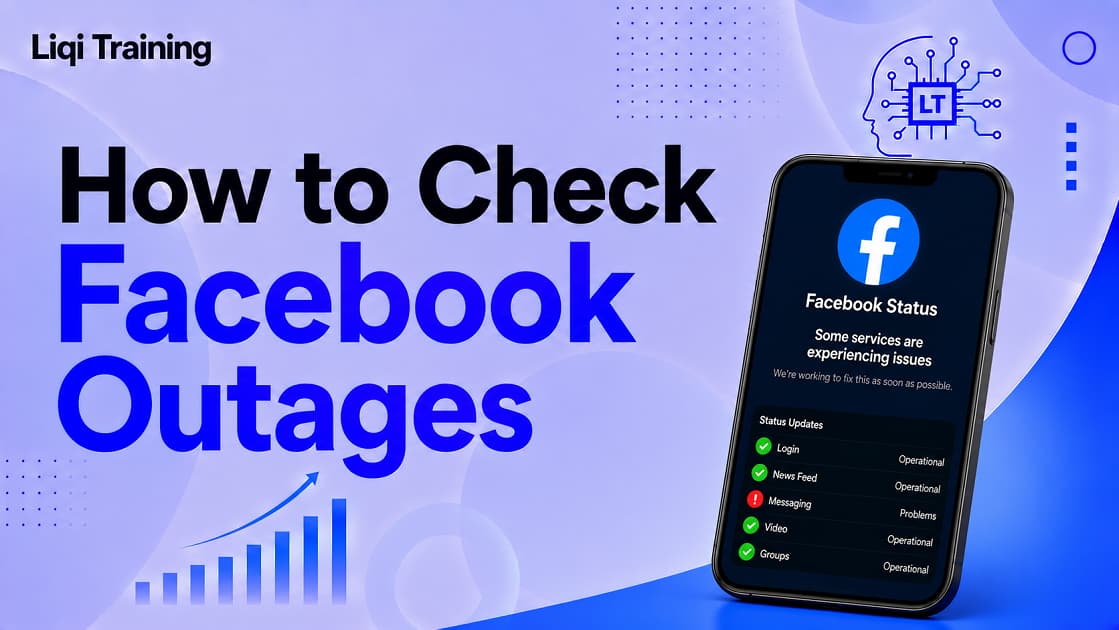
Searching “is facebook down” has become common whenever users encounter login failures, blank news feeds, messages that refuse to send, or pages that won’t load. The good news is that many Facebook issues can be diagnosed within a few minutes by following a systematic approach. Facebook outages may affect the website, mobile app, Messenger, Marketplace, or Facebook Login independently. The fastest way to confirm an outage is to compare your experience with multiple outage-monitoring services and Meta’s official status information. Login failures do not always indicate a platform outage; device settings, network problems, browser issues, or account security checks can produce similar symptoms. Avoid resetting your password immediately during a widespread outage, as the issue may resolve without any action.
Most temporary outages are restored within minutes or a few hours, depending on the underlying infrastructure problem. Recent global Meta outages have affected Facebook, Instagram, and Messenger simultaneously. Facebook is one of the world’s largest social networking platforms, connecting billions of users every month. When the service suddenly stops working, it’s natural to wonder whether the problem is affecting everyone or just your device.
Whether you’re trying to access Facebook for personal use, manage a business Page, run Marketplace listings, or communicate through Messenger, this guide explains how to determine if Facebook is experiencing an outage, where to verify server status, and what you can do before assuming the problem is on Meta’s side.
Why People Search “Is Facebook Down”
When Facebook experiences technical difficulties, millions of users often notice nearly identical symptoms at the same time.
Instead of seeing their News Feed, they may encounter:
- Login errors
- Infinite loading screens
- Missing comments
- Broken notifications
- Messenger failures
- Marketplace errors
- Pages refusing to load
Because these problems appear suddenly, users frequently search Google before attempting complicated troubleshooting.
The important question becomes:
Is the issue happening globally, regionally, or only on your own device?
Fortunately, there are reliable ways to answer that question.
How Facebook Outages Usually Happen
Facebook operates through thousands of servers located around the world. Those servers communicate with databases, content delivery networks, authentication systems, and networking infrastructure.
When one part of that infrastructure fails, users might experience:
Complete Global Outages
These are the rarest events.
They typically affect:
- Messenger
- Marketplace
- Facebook Login
- Threads
In these situations, millions of users report identical problems within minutes. A notable example occurred in June 2026, when user reports surged worldwide across several Meta services.
Regional Outages
Sometimes only certain countries or internet providers experience problems.
This means:
- your friend in another country can access Facebook normally
- your ISP may have routing problems
- only some services become unavailable
Individual Account Problems
These are the most common.
Examples include:
- forgotten passwords
- two-factor authentication delays
- browser cache corruption
- VPN conflicts
- suspended accounts
- app bugs
These issues affect only one user rather than the Facebook platform itself.
How to Check If Facebook Is Truly Down
Instead of guessing, verify the outage using several independent methods.
Method 1: Refresh Carefully
Before doing anything else:
- close Facebook
- reopen it
- reload the webpage
- wait one or two minutes
Temporary connection interruptions often resolve themselves.
Method 2: Try Another Device
Open Facebook using:
- another phone
- tablet
- laptop
- another browser
If Facebook works elsewhere, the issue likely originates from your original device rather than Meta’s servers.
Method 3: Switch Networks
Try changing from:
- Wi-Fi to mobile data
- mobile data to Wi-Fi
A local network problem can resemble a Facebook outage.
Method 4: Use Multiple Outage Monitoring Services
Several websites collect millions of real-time reports from users around the world.
These services help determine whether thousands of people are experiencing identical problems simultaneously.
Look for:
- spikes in reports
- outage maps
- recent incident timelines
- geographic distribution
Do not rely on a single outage checker alone because user reports sometimes spike even when Facebook itself is functioning normally. Cross-checking multiple sources provides a more reliable picture.
Method 5: Check Meta’s Official Status
Although Meta’s public status information primarily targets business and developer services, it can still indicate known platform incidents affecting authentication or infrastructure.
Keep in mind that consumer-facing outages sometimes appear on community monitoring sites before official acknowledgements are published. During some recent incidents, user reports increased significantly while Meta had not yet listed consumer-facing issues.
Common Signs Facebook Is Experiencing an Outage
Different outages affect different features.
Login Problems
You may see:
- Incorrect password errors despite entering the correct password
- Endless loading
- Authentication failures
- Unexpected logouts
Feed Problems
Sometimes Facebook opens successfully but:
- no posts appear
- images never load
- comments disappear
- reactions fail
Messenger Issues
Messenger may:
- stop sending messages
- delay notifications
- refuse voice calls
- fail to load conversations
Marketplace Errors
Marketplace might:
- disappear
- refuse searches
- fail to publish listings
- show loading errors
If Marketplace alone is affected, the problem may be isolated rather than platform-wide.
Recent Facebook Outages Show Why Verification Is Necessary
Over the past several years, Facebook has experienced occasional large-scale disruptions.
The well-known 2021 outage affected Facebook, Instagram, WhatsApp, Messenger, and third-party services that relied on Facebook Login after internal networking changes disrupted routing.
More recently, Meta services experienced significant interruptions during 2026, with many users reporting login failures, unavailable feeds, and service disruptions before systems were restored.
These incidents demonstrate why checking reliable outage information before changing account settings can save time.
Don’t Immediately Reset Your Password
One of the biggest mistakes users make is resetting their password the moment Facebook refuses to load.
If Facebook servers are experiencing authentication issues:
- password resets may fail
- verification emails may be delayed
- login sessions may become inconsistent
Instead:
- Verify whether Facebook is down.
- Wait for confirmation.
- Reset your password only if you confirm the problem affects only your account.
If you genuinely forgot your credentials, this guide on How to Change Your Facebook Password on iPhone, Android, and Desktop (Even If You Forgot It) walks through the safest recovery process.
How to Fix Facebook Login Issues When the Service Isn’t Down
If you’ve confirmed that Facebook’s servers are operating normally, the problem is likely related to your device, internet connection, browser, app, or account settings. Working through the following troubleshooting steps in order can help you identify the cause without making unnecessary changes.
Check Your Internet Connection First
A weak or unstable internet connection is one of the most common reasons Facebook fails to load.
Test Your Network
Before assuming Facebook is unavailable:
- Open another website.
- Stream a short video.
- Run an internet speed test.
- Check whether other apps connect normally.
If only Facebook is affected while everything else works, continue with the next troubleshooting steps.
Switch Networks
Changing your network can quickly determine whether your connection is the problem.
Try switching between:
- Wi-Fi and mobile data
- Home internet and a public Wi-Fi network
- One internet provider and another, if available
If Facebook begins working after changing networks, the issue may be related to your internet service provider rather than Meta’s servers.
Restart the Facebook App
Temporary software glitches often disappear after restarting the application.
On Android
- Close Facebook completely.
- Open your recent apps.
- Swipe Facebook away.
- Launch it again.
On iPhone
- Swipe up to close Facebook.
- Wait several seconds.
- Reopen the app.
If the problem continues, restart your device before trying again.
Clear Browser Cache and Cookies
If Facebook works on one browser but not another, outdated cached files or cookies may be causing the issue.
When Clearing Cache Helps
Clearing your browser’s cache can resolve:
- Login loops
- Blank pages
- Loading errors
- Broken buttons
- Incorrect redirects
After clearing your browser data, sign in again using your Facebook credentials.
Update the Facebook App
Running an outdated version of Facebook may lead to compatibility issues after new platform updates are released.
Visit your device’s app store and install any available updates. New releases often include bug fixes, security improvements, and compatibility enhancements.
Check Your Device’s Date and Time
Incorrect system time can interfere with secure login sessions.
Verify that:
- automatic date and time are enabled
- your time zone is correct
- your device clock matches your local time
Even a small time mismatch can occasionally cause authentication problems.
Disable VPNs or Proxy Services
VPNs and proxy servers sometimes interfere with Facebook’s authentication systems.
If you’re connected through a VPN:
- Disconnect temporarily.
- Close Facebook.
- Reopen the app.
- Attempt to sign in again.
If Facebook starts working normally, the VPN connection may have been triggering additional security checks.
Check Whether Your Account Has Security Restrictions
Sometimes the issue isn’t an outage at all, it’s an account-specific security measure.
Facebook may temporarily request:
- identity verification
- two-factor authentication
- email confirmation
- phone verification
- suspicious login confirmation
Complete any requested verification steps before attempting additional troubleshooting.
What If Facebook Says “We’ll Be Back Soon”?
Occasionally, Facebook displays a message similar to:
“Facebook will be back soon.”
According to Meta’s Help Center, this message generally indicates that the database associated with your account is temporarily undergoing maintenance. During this period, your friends may still be able to use Facebook normally while your account remains temporarily unavailable.
In this situation, the best approach is simply to wait until maintenance has finished.
How Long Do Facebook Outages Usually Last?
The duration depends on the underlying cause.
Minor Service Interruptions
Most small incidents are resolved within:
- 15 minutes
- 30 minutes
- 1 hour
Larger Infrastructure Problems
Major outages involving authentication or networking can last several hours.
For example:
- The October 2021 global outage lasted roughly six hours after an internal network configuration problem disrupted Facebook’s routing infrastructure.
- A widespread Meta outage in June 2026 affected Facebook, Instagram, and Messenger before services were restored later the same day.
Frequently Asked Questions
Is Facebook down for everyone or just me?
The quickest way to find out is to compare your experience with outage-monitoring websites and Meta’s official status pages. If thousands of users are reporting identical problems, the issue is likely affecting many people rather than only your account.
Can Facebook be down while Messenger still works?
Yes. Although Facebook and Messenger share much of the same infrastructure, certain outages affect only specific services or features.
Why can’t I log into Facebook even though my password is correct?
Possible causes include:
- temporary authentication outages
- browser issues
- expired sessions
- two-factor authentication delays
- account security checks
Always confirm whether a widespread outage is occurring before changing your password.
Should I reinstall Facebook?
Reinstalling the app may help if the issue is isolated to your device. However, it won’t resolve a platform-wide outage.
Can Facebook Marketplace stop working while Facebook itself is online?
Yes. Marketplace occasionally experiences isolated issues even when the main Facebook app continues to operate normally.
If you’re experiencing Marketplace-specific problems, see our guide on Facebook Marketplace Explained: How to Get Access, Buy Safely, and Sell Like a Pro.
Continue
Searching “is facebook down” is often the fastest response when Facebook suddenly stops working, but it’s important not to assume every problem is caused by a platform-wide outage.
Start by checking whether other users are reporting the same issue through reliable outage-monitoring services and Meta’s status resources. If there is no evidence of a widespread disruption, move through basic troubleshooting steps such as switching networks, restarting the app, clearing your browser cache, and updating the Facebook application.
For more Facebook account management tips, you may also find these guides helpful:
- How to Delete a Facebook Account Permanently or Temporarily in 2026
- How to Deactivate Facebook Without Losing Messenger, Photos, or Friends
- How to Change Your Facebook Password on iPhone, Android, and Desktop (Even If You Forgot It)
- How to Change Your Name on Facebook: Rules, Waiting Periods, and Common Approval Problems
- How to Lock Your Facebook Profile and Make Your Personal Information More Private
By following a structured troubleshooting process, you can quickly determine whether the issue lies with Facebook’s infrastructure or your own device. This approach saves time, prevents unnecessary password resets, and helps you get back online as efficiently as possible.
ADVERTISEMENT