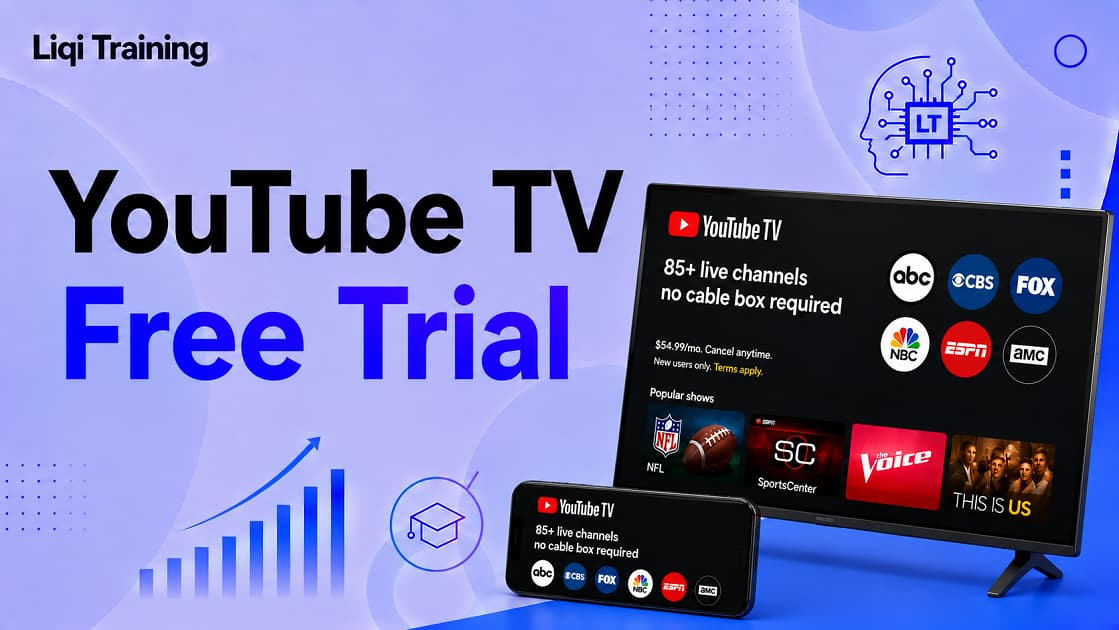
YouTube TV free trial is available to eligible new subscribers and includes access to the same live channels and core features as a paid membership during the trial period. Trial lengths vary depending on the current promotion and selected plan. As of July 2026, YouTube TV is running a limited-time 21-day free trial for new users, along with discounted introductory pricing on the Main Plan after the trial ends. The promotion expires on August 26, 2026.
You generally do not need a separate promo code to activate the trial. Eligible offers are usually applied automatically during signup. If you cancel before the trial ends, you will not be charged, and you can continue using the service until the free trial period expires. Add-on channels such as HBO Max and Spanish Plus may have their own independent free trials, each with separate billing rules.
Trying a streaming service before paying for it has become an important part of choosing the right entertainment platform.
With dozens of live TV providers competing for subscribers, many people want to answer one question before committing to another monthly bill:
Is YouTube TV actually worth the price?
That’s exactly why YouTube TV free trial exists.
Instead of asking new customers to subscribe immediately, Google allows eligible users to experience the platform firsthand. During the trial, you can explore the live channel lineup, test the Unlimited Cloud DVR, stream on multiple supported devices, and evaluate picture quality, all without paying upfront if you cancel before the trial ends.
However, the free trial isn’t identical for every customer.
Its availability depends on several factors, including:
- whether you’ve previously subscribed
- your Google account
- current promotional campaigns
- the subscription plan you choose
- your location within the United States
In addition, many websites advertise exclusive coupon codes or permanent free trials that either no longer exist or were never official offers.
This guide separates fact from fiction by explaining exactly how the youtube tv free trial works, who qualifies, what features are included, how to claim the latest offer, and what happens when your trial expires.
If you’re comparing all available promotions, you may also find YouTube TV Deals and Discounts: Promo Codes, Special Offers, and the Truth About the $54.99 Plan useful, as it explains introductory discounts available after the free trial.
What Is the YouTube TV Free Trial?
The YouTube TV free trial is a promotional offer that lets eligible new subscribers test the service before paying for a monthly subscription.
Unlike limited demo versions offered by some streaming platforms, YouTube TV provides access to the same core features available to paying subscribers during the trial period.
These typically include:
- Live television channels
- Local broadcast stations (where available)
- Unlimited Cloud DVR
- Personalized recommendations
- Family sharing features
- Multiple supported streaming devices
This gives prospective subscribers an opportunity to evaluate the service under normal viewing conditions before deciding whether to continue.
How Long Is the Free Trial?
One of the biggest misconceptions is that YouTube TV always offers the same trial length.
In reality, Google changes promotional periods throughout the year.
For example:
- Standard promotions have often ranged from 7 to 10 days.
- Current eligible offers provide 21 days at no cost for new users before billing begins, alongside discounted pricing for the first three months of the Main Plan.
Because these promotions change regularly, it’s always worth checking the official signup page before subscribing.
Who Is Eligible?
Not everyone qualifies for a free trial.
Google generally reserves the offer for new YouTube TV subscribers.
You May Qualify If You:
- Have never subscribed to YouTube TV.
- Use a Google account that hasn’t previously redeemed a YouTube TV trial.
- Meet the age and location requirements.
- Provide a valid payment method during signup.
Eligibility is verified automatically during registration.
You May Not Qualify If You:
You may be ineligible if you:
- Previously used a YouTube TV free trial.
- Already have an active YouTube TV membership.
- Recently canceled another promotional subscription tied to the same Google account.
- Do not meet regional eligibility requirements.
Google does not publish every eligibility rule, so some promotional offers may vary by account or campaign.
What’s Included During the Free Trial?
Many streaming services restrict features during trial periods.
YouTube TV generally does not.
Eligible trial users receive access to nearly all core features available with the selected plan.
Live TV
You’ll be able to stream:
- National news channels
- Sports networks
- Entertainment channels
- Kids programming
- Local broadcast stations (where available)
This makes it easy to determine whether the channel lineup meets your household’s needs.
Unlimited Cloud DVR
One of YouTube TV’s standout features is its Unlimited Cloud DVR.
During the trial, you can:
- Record live television
- Save sporting events
- Build your personal library
- Watch recordings later
Testing DVR performance during the trial helps you decide whether the service is a suitable replacement for traditional cable.
Multiple Device Support
You can also evaluate how the service performs across different devices, including:
- Smart TVs
- Roku
- Apple TV
- Amazon Fire TV
- Google TV
- Android phones
- iPhones
- Tablets
- Supported web browsers
If you’re setting up the service for the first time, our YouTube TV App Guide walks through installation and optimization for every major platform.
Do You Need a Promo Code?
This is one of the most searched questions online.
The answer is usually no.
Unlike traditional online retailers, YouTube TV generally does not require a promo code to activate its free trial.
Instead, eligible promotions are automatically applied when you begin the signup process using a qualifying Google account.
Some partner campaigns may include special promotional links, but for most users, there is no coupon field to complete.
How to Claim a YouTube TV Free Trial
If you’re eligible, starting a YouTube TV free trial usually takes only a few minutes. Unlike many subscription services, YouTube TV generally applies the offer automatically during signup, so you typically don’t need to enter a coupon code.
Step 1: Visit the Official Signup Page
Go to the official YouTube TV signup page and sign in using the Google account you want to associate with your subscription.
Before continuing, you’ll normally see:
- The current free trial length (if eligible)
- Introductory pricing after the trial
- Your first billing date
- Included features
Review these details carefully because promotional offers change throughout the year.
Step 2: Verify Your Eligibility
During registration, Google automatically checks whether your account qualifies.
Eligibility is based on factors such as:
- Previous YouTube TV subscriptions
- Previous free trial usage
- Google account history
- Current promotional campaign
If you don’t qualify, the signup page will usually display the standard subscription pricing instead of a free trial.
Step 3: Add a Payment Method
Although the trial is free, you’ll still need to provide a valid payment method.
Accepted payment methods typically include:
- Major credit cards
- Debit cards
- Other Google-supported payment methods
You won’t be charged immediately if your trial is free, but billing begins automatically when the trial expires unless you cancel beforehand.
Step 4: Start Streaming
After completing signup, you’ll immediately gain access to the channels and features included with your selected plan.
You can begin watching on:
- Smart TVs
- Roku
- Apple TV
- Amazon Fire TV
- Google TV
- Android devices
- iPhone and iPad
- Computers using a supported web browser
If you need help getting started, read YouTube TV App Guide: Download, Install, Compatible Devices, and Streaming Tips for Beginners.
Current Offers and Introductory Discounts
Many people assume the free trial is the only promotion available.
In reality, Google frequently combines the trial with discounted introductory pricing.
For example, as of July 2026, eligible new subscribers can receive:
- A 21-day free trial (availability may vary by account)
- Three months of discounted pricing on the Main Plan before the regular monthly rate applies
- A separate introductory offer on the Sports Plan for eligible new users
These promotions are scheduled to end on August 26, 2026, unless extended or replaced by Google.
What About Promo Codes?
One of the biggest myths online is that hidden YouTube TV coupon codes unlock longer free trials.
For most subscribers, that’s not how YouTube TV works.
Instead:
- Most promotions are automatically applied.
- Google rarely requires manual coupon codes.
- Referral links or partner offers may occasionally provide different incentives, but they are separate from the standard signup process.
Because third-party coupon websites frequently list expired or unofficial offers, it’s safest to rely on the official signup page for current promotions.
Can You Cancel Before the Trial Ends?
Yes.
In fact, many people use the free trial specifically to evaluate the service before deciding whether it’s worth paying for.
If you cancel before the trial expires:
- You won’t be charged for the first paid billing cycle.
- You’ll continue to have access until the end of the trial period.
- Your subscription simply expires unless you reactivate it later.
How to Cancel
Cancellation generally takes less than two minutes.
Simply:
- Open your account settings.
- Select Membership.
- Choose Manage.
- Select Cancel Membership.
- Confirm cancellation.
Google may ask why you’re leaving, but completing the survey is optional.
Do Premium Add-Ons Have Their Own Free Trials?
Sometimes.
Several optional channel packages and premium streaming services available through YouTube TV may include separate promotional trials.
Examples may include:
- HBO Max
- STARZ
- MGM+
- Paramount+ with SHOWTIME
- Spanish-language add-ons
Each premium service has its own eligibility rules, trial length, billing cycle, and cancellation policy. Always review the terms before activating an add-on because they may begin billing independently of your base YouTube TV membership.
Common Mistakes to Avoid
Many first-time subscribers accidentally lose their free trial benefits by overlooking a few important details.
Waiting Too Long to Cancel
If you decide the service isn’t right for you, cancel before your trial expires.
Once billing begins, standard refund policies apply.
Using the Wrong Google Account
Some households have multiple Google accounts.
Make sure you’re signing in with the account you intend to keep because:
- Your recordings
- Preferences
- Recommendations
- Membership
will all be tied to that account.
Expecting Every Promotion to Stack
Most introductory offers cannot be combined.
For example, you generally cannot stack:
- Multiple promotional discounts
- Referral incentives
- New customer pricing
- Partner-exclusive offers
Review the offer terms before completing checkout.
Frequently Asked Questions
Is the YouTube TV free trial really free?
Yes.
If you’re eligible, the trial is free during the promotional period. You’ll be asked to add a valid payment method when signing up, but you won’t be charged until the trial ends unless you cancel beforehand.
How long does the YouTube TV free trial last?
There isn’t a single fixed trial length.
Google changes free trial offers throughout the year based on promotions. Depending on when you sign up, you may see different trial periods or introductory discounts after the trial ends. The official signup page always shows the offer available for your account before you confirm your subscription.
Can previous subscribers get another free trial?
Generally, no.
The standard free trial is intended for eligible new subscribers. If you’ve already redeemed a YouTube TV trial or previously subscribed to the Base Plan with the same Google account, you usually won’t qualify for another introductory trial.
Can I cancel immediately after signing up?
Yes.
You can cancel at any time during the trial. In most cases, canceling prevents future billing while allowing you to continue using YouTube TV until your free trial expires.
Will I lose my recordings if I cancel?
If you cancel after using YouTube TV, your library preferences are saved for a period, but access to recordings eventually expires if you don’t reactivate your membership. Google notes that recordings expire after their retention period and some promotional benefits may not be available if you subscribe again later.
Are premium channel trials separate?
Yes.
Premium add-ons, including services such as HBO Max, STARZ, MGM+, and others, may offer their own free trials. These are separate from the main YouTube TV trial and have independent billing dates and cancellation policies. Always review the terms before activating an add-on.
How to Decide Whether the Free Trial Is Worth It
A free trial is most valuable when you actively test the features you’ll use after subscribing.
Instead of simply watching a few channels, use the trial to evaluate whether YouTube TV fits your viewing habits.
Test the Channels You Watch Most
Start by confirming that your favorite networks are available.
For example, you might check:
- Local ABC, CBS, FOX, and NBC stations
- ESPN and other sports channels
- News networks
- Entertainment channels
- Kids programming
If you’re specifically interested in Disney-owned networks, our YouTube TV and Disney: Everything to Know About ESPN, Disney Channels, and the Latest Bundle Options explains what’s included in each plan.
Try Unlimited Cloud DVR
One of YouTube TV’s biggest advantages over traditional cable is its Unlimited Cloud DVR.
During your trial:
- Record a live sporting event.
- Save an entire TV series.
- Watch recordings on another device.
- Test playback quality.
Using these features during the trial gives you a better idea of how the service performs in everyday use.
Install the App on Multiple Devices
Don’t limit your evaluation to one television.
Try streaming on:
- Your Smart TV
- Smartphone
- Tablet
- Laptop
- Streaming player
This helps you see how well the service works throughout your home.
If you haven’t installed the service yet, YouTube TV App Guide: Download, Install, Compatible Devices, and Streaming Tips for Beginners guides through the process on every major platform.
Compare Overall Value
Before your trial expires, ask yourself:
- Does the channel lineup meet your needs?
- Is the picture quality consistent?
- Do you use the DVR regularly?
- Are you replacing cable or adding another streaming service?
Answering these questions makes it easier to decide whether the monthly subscription is worthwhile.
If price is your biggest concern, read YouTube TV Deals and Discounts: Promo Codes, Special Offers, and the Truth About the $54.99 Plan, where we explain introductory discounts and other legitimate ways to reduce your subscription cost.
Related Guides
Continue learning with these in-depth YouTube TV resources:
YouTube TV
- YouTube TV Review: Channels, Pricing, Features, and Is It Worth It?
- YouTube TV App Guide: Download, Install, Compatible Devices, and Streaming Tips for Beginners
- YouTube TV Deals and Discounts: Promo Codes, Special Offers, and the Truth About the $54.99 Plan
- YouTube TV NFL Sunday Ticket Guide: Pricing, Supported Devices, Blackout Rules, and How to Watch Every Game
- YouTube TV and Disney: Everything to Know About ESPN, Disney Channels, and the Latest Bundle Options
YouTube Ecosystem
- YouTube: Everything You Need to Know About the World’s Biggest Video Platform
- YouTube Music: How It Works, Premium Plans, Features, and Tips
- YouTube Kids Explained: How to Set Up Safe Viewing for Children
- YouTube to MP3: How It Works, Legal Considerations, and the Best Alternatives
- YouTube to MP4: What You Should Know Before Converting Videos
- 10 Best YouTube Monetization Strategies for Beginners
These related articles provide additional context on YouTube’s streaming services, subscription options, supported devices, and ways to maximize the value of your membership.
Conclusion
The YouTube TV free trial is one of the easiest ways to determine whether the service is the right replacement for cable or another live TV provider. Eligible new subscribers can explore the full viewing experience, including live channels, Unlimited Cloud DVR, personalized recommendations, and multi-device streaming, before paying for a monthly subscription. Because trial lengths and introductory pricing vary by promotion, it’s important to review the offer displayed during signup rather than relying on outdated information from third-party websites.
It’s equally important to understand that legitimate YouTube TV promotions usually don’t require coupon codes. Most free trials and introductory discounts are applied automatically for eligible accounts, while unofficial coupon sites often promote expired or unsupported offers. If you decide the service isn’t right for you, canceling before the trial ends prevents future billing, and in most cases you’ll continue to have access until the promotional period expires.
Whether you’re interested in live sports, local channels, family entertainment, or replacing traditional cable, using the trial to test the features you care about most will help you make an informed subscription decision. Combined with the related guides in this series, you’ll have a complete understanding of YouTube TV’s pricing, devices, promotions, and streaming capabilities before becoming a long-term subscriber.
ADVERTISEMENT